Translate Website Content with LILT Connector Webflow App
Translate Webflow pages and CMS content into multiple languages with a workflow built for your global content team.
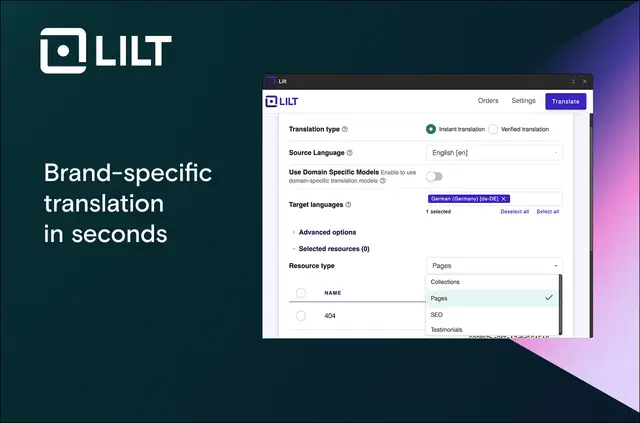
Choose the Webflow content and languages you need, then send them to LILT for translation. LILT Connector helps you manage multilingual publishing from a project dashboard.
Select Instant Translation or Verified Translation, which includes review by a skilled linguist. Translations are tailored to your domain and aligned with your brand voice and terminology.
Things to keep in mind
The app is listed as paid. Verified Translation includes review by a skilled linguist; Instant Translation is the other available option.
Setting it up
Install LILT Connector and grant the requested Webflow access. To begin using it, contact connect@lilt.com or visit www.lilt.com.
The main tools
- Choose Webflow pages, collections, SEO metadata and testimonials for translation.
- Select the target languages for the content you send to LILT.
- Choose Instant Translation or translation reviewed by a skilled linguist.
- Track project status in real time and manage translation work in a dashboard.
Quick answers about LILT Connector
What can LILT Connector access in my Webflow account?
It can edit CMS content, pages and components, and read your sites and user profile.
Which types of Webflow content can I translate?
You can select pages, collections, SEO metadata and testimonials.
Can I choose which languages to translate into?
Yes. You can select target languages for the content you send for translation.
How can I follow translation progress?
The app provides real-time project status visibility and a dashboard for managing translation workflows.