Transfer Elements Between Projects with Lean Webflow App
Lean helps Webflow agencies, designers, and freelancers transfer elements between projects and map their classes.
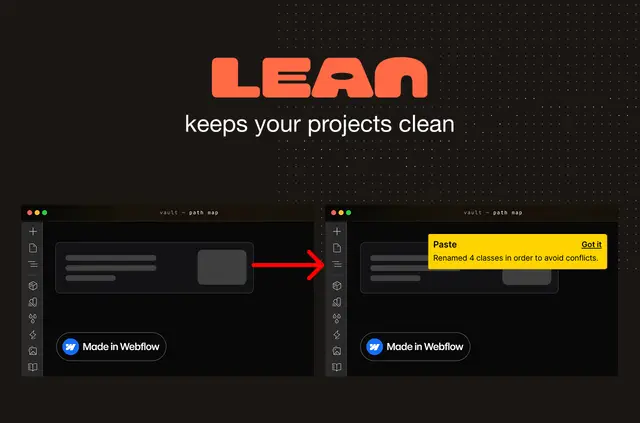
Reusing Webflow elements can mean rebuilding them by hand or relying on extra tools. Lean brings transfers into Webflow Designer and maps classes to styles in the destination project.
Agencies can reuse elements across client projects, while designers can move components between shared design systems. Freelancers can base new projects on existing ones with fewer inherited styles.
How setup works
Lean runs inside Webflow Designer, processes transfers locally, and does not require an account.
Copy elements from the source project and paste them into Lean’s panel. Then paste them from the panel onto the destination canvas.
What Lean does
As it maps classes to destination styles, Lean creates combo classes that are not yet in the destination. Structure-only mode removes classes and styles while keeping the element structure for styling.
Transfer options can remove IX2 animations and legacy interactions, or strip image and video references before pasting. Lean is made by Brombach Design & Development.
Lean FAQ
Does Lean process transfers on my device?
Yes. Lean processes transfers locally inside Webflow Designer.
Can I transfer an element without bringing its classes and styles?
Yes. Structure-only mode removes them and leaves the element structure ready for styling.
What does Lean do when a combo class is missing in the destination project?
Lean automatically creates missing combo classes during class remapping.
Can I remove interactions and media references before pasting?
Yes. Options can remove IX2 animations and legacy interactions, and strip image and video references.
Who is Lean designed for?
It suits agencies reusing elements across client projects, designers maintaining shared design systems, and freelancers starting projects from existing ones with fewer inherited styles.