Organize and Merge Duplicate Styles with Clean Styles Webflow App
Clean Styles helps Webflow site owners find and organize duplicate classes across their projects.
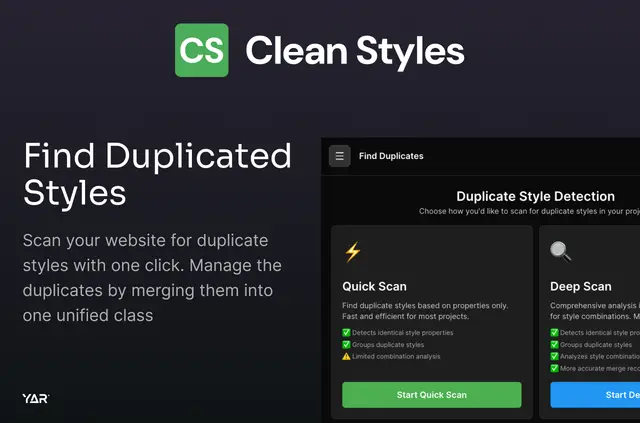
Without Clean Styles, people maintaining Webflow sites may need to inspect styles by hand or use extra tools to spot repeated classes and tidy naming. Clean Styles brings that review into the Webflow Designer, where site builders can scan styles across pages and breakpoints.
Made by Yar Roshidi and listed as free, the app shows duplicate groups before changes are applied. Users choose which duplicates to handle and how to merge them, then confirm the changes. It can also consolidate combo classes and organize names into folder-like groups through bulk renaming.
Getting started in Webflow
Open Clean Styles in Webflow Designer and scan the project. Review the duplicate groups, choose the classes to address, select a merge method, and confirm the changes.
Things to keep in mind
Clean Styles does not inject code, rewrite custom CSS, sync styles to an external service, or store styles remotely. When Component editing is turned off, the scan skips elements inside Components.
Style properties are considered across breakpoints and pseudo states. If properties conflict during a merge, the selected target style takes precedence; Component definitions are included only when that option is enabled.
Clean Styles in practice
A scan can reveal repeated classes across project pages and responsive breakpoints. A duplicate group can be merged into an existing style or a new one, while combo classes can be brought together as a single style.
For class naming cleanup, bulk renaming can place classes into folder-like groups. Users can also choose to apply merge changes within Component definitions, making that option available when working with styles used in Components.
Questions about Clean Styles
Can I review duplicates before applying a merge?
Yes. Scans display duplicate groups for review, and changes are confirmed only after the user chooses what to merge and how.
Can Clean Styles merge a duplicate into a new style?
Yes. A duplicate class can be merged into an existing style or into a newly created style.
Does it work with combo classes?
Yes. Clean Styles can consolidate combo classes into one style.
Can it rename classes in batches?
Yes. Bulk renaming can arrange class names into folder-like groups.
Can merge changes include Component definitions?
Yes, if Component editing is enabled. When it is disabled, elements inside Components are skipped.