Clean Unused Assets with Components & Variables Cleaner Webflow App
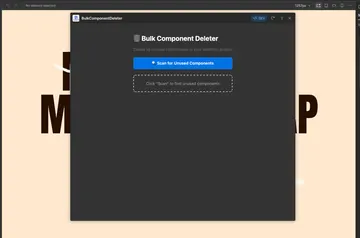
For Webflow designers and maintenance teams, Components & Variables Cleaner finds unused components and variables for removal.
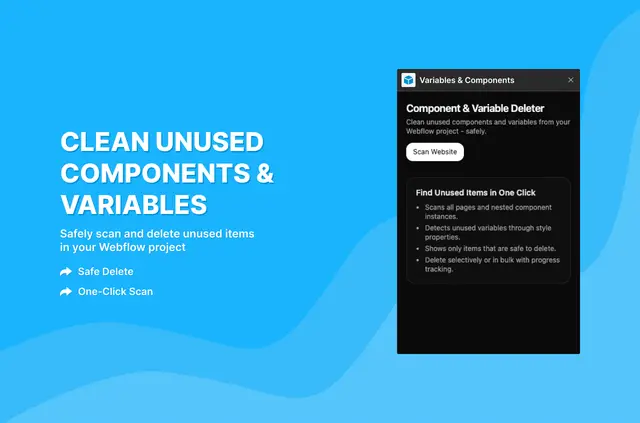
A cleaned Webflow project can have fewer unused components and variables. The app checks pages, component instances, nested components, and styles for usage.
Fluttertop Studio made this paid app for designers and teams maintaining projects that use components and variables. Scanning leaves the project unchanged; users choose items and confirm before anything is deleted.
What's included
- Review unused components and variables in separate tabs, with names, usage counts, types, and collections.
- Search the results to find specific items.
- Select individual items or all results, and clear selections before deletion.
- Confirm selected deletions and follow their progress in real time.
- Run another scan after cleanup to review the results.
Worth checking first
The app is paid. A scan does not remove items, so users need to select what to delete and confirm the action.
Quick answers about Components & Variables Cleaner
Does scanning delete anything from a Webflow project?
No. Scanning does not change the project, and items are not removed automatically.
What parts of a project does the scan check?
It checks every project page, component instance, nested component, and style for component and variable usage.
Can teams choose which unused items to delete?
Yes. They can select individual items or all results, clear selections, and confirm before deletion.
What details are shown for unused items?
Separate tabs show unused components and variables, including names, usage counts, types, and collections.
Can a project be scanned again after cleanup?
Yes. Users can run another scan after cleanup to check the results.