Transfer Design Variables via CSV with Variables Utility Webflow App
Transfer Webflow design system variables between projects by exporting and importing CSV files.
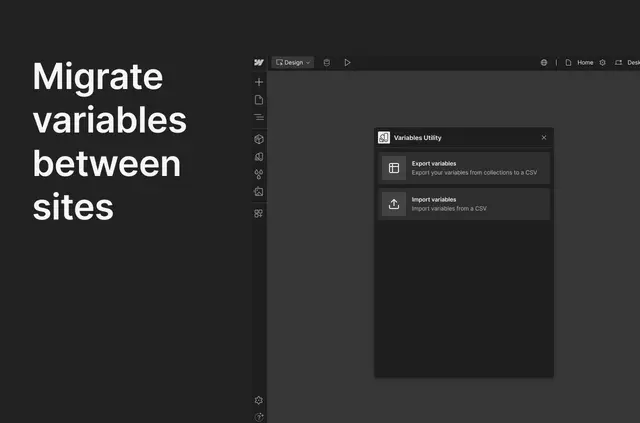
Work with Variables Utility from its own dashboard to move design system variables between Webflow projects. Export a collection’s variables to CSV, then import a CSV into a project.
Its CSV workflow supports colors, typography and spacing, making it useful when you manage variables across several projects.
Where it fits
Use the app when you build or maintain multiple Webflow sites and want to transfer their variables. It suits designers, developers and teams working across projects.
What you can do with it
Export variables from a Webflow collection as a CSV file, or import variables from a CSV into a project. The supported types include colors, typography and spacing.
Common questions
Which variable types can I transfer?
Variables Utility supports colors, typography and spacing.
Can I export variables from a Webflow collection?
Yes. Export variables from a collection to a CSV file.
How do I bring variables into a project?
Import a CSV file into the Webflow project.
Can I use it across multiple Webflow projects?
Yes. The app is designed to transfer variables between Webflow projects.
Which teams is Variables Utility for?
It suits designers, developers and teams managing variables across multiple Webflow projects.