Add Website Chat for Team Support with LarkBots Webflow App
Add website chat to a Webflow site and manage visitor conversations through LarkBots.
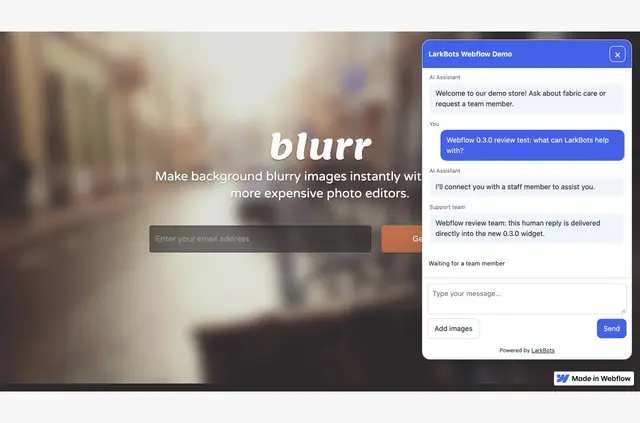
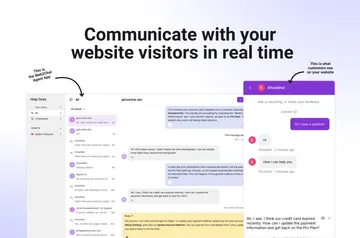
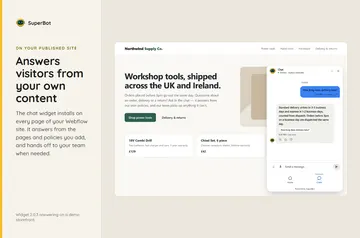
On the published Webflow site, a chat widget gives visitors a way to contact a business. Teams manage those messages in LarkBots, rather than in the Webflow Designer or CMS.
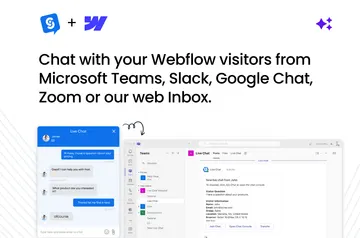
A Webflow site connects to a LarkBots business through OAuth. Team members can write replies, pass a conversation to a colleague, or use AI replies within their plan and quota.
When it's a good fit
LarkBots is suited to businesses that want website chat and team-managed customer support. It gives a team a shared place to handle visitor conversations across connected sites and the LarkBots business app.
The widget supports English and other languages. It displays within a Shadow DOM, separating it from the rest of the site’s page structure.
Worth checking first
A LarkBots account is required. The connector is free, while the ongoing Free plan has usage limits; optional paid plans are billed separately. Usage is shared across connected websites and the business app, and connecting or disconnecting a site does not alter the subscription.
The widget does not access Webflow forms, passwords, or checkout fields. Installation requests permission to read sites and edit custom code. To remove the connection fully, delete the site script and publish the change, disconnect the site in LarkBots, then revoke its Webflow Connected Apps authorization.
Getting started in Webflow
Connect the Webflow site to a LarkBots business using OAuth. Review the business and site, confirm script installation, publish the site in Webflow, then check the live version.
After setup, visitors can use the published widget to start a conversation. Teams can pause the chat through LarkBots without publishing the Webflow site again.
Common questions
Is LarkBots free?
The connector is free, but it requires a LarkBots account. The Free plan has usage limits, and optional paid plans are billed separately.
Do I need to code to use LarkBots?
The described setup uses OAuth, script-installation confirmation, and a Webflow publish. The connection requests permission to edit custom code, but the provided setup steps do not require writing code.
Where do I use LarkBots once it's installed?
Visitors interact with the widget on the published site. Team members manage messages in the LarkBots web inbox and business app.
Can I pause the chat without republishing my site?
Yes. Chat can be paused without publishing the Webflow site again.
What do I need to do to remove LarkBots completely?
Delete the site script and publish that change, disconnect the site in LarkBots, and revoke the Webflow Connected Apps authorization.