Route Customer Support Chats with Social Intents Live Chat Webflow App
Add live chat to your Webflow store and handle visitor conversations through your team’s collaboration tools.
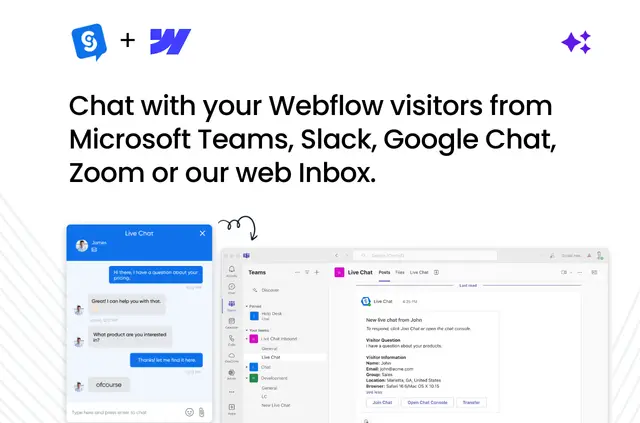
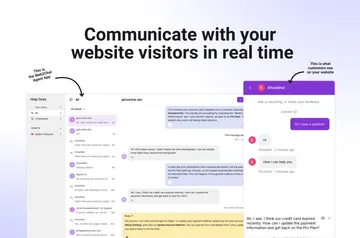
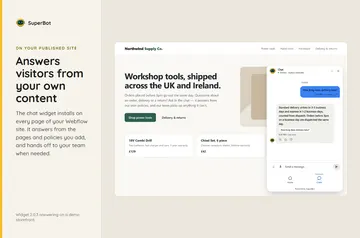
On your published Webflow site, visitors can start a chat with your team. Agents can reply using collaboration tools your business already works in.
The app is made by Live Chat by Social Intents and is listed as paid. It is suited to Webflow businesses handling customer support or sales conversations through existing team tools.
What you can do with it
Add chat to a Webflow store so visitors can contact your team. When an AI chatbot needs a person to take over, the conversation can be passed to a human agent.
The app can also capture visitor feedback, collect leads, and export reports. These features support teams managing customer conversations and sales inquiries from their Webflow site.
How setup works
Add the chat feature to your Webflow store in a few setup steps. Once it is set up, agents can respond to visitor messages from Microsoft Teams, Slack, Google Chat, Zoom, or Webex.
Questions about Social Intents Live Chat
Who is the developer behind Social Intents Live Chat?
It is made by Live Chat by Social Intents.
Which other services does Social Intents Live Chat integrate with?
Its additional integrations include WhatsApp, SMS, Mailchimp, and Hubspot.
What access does the app request in Webflow?
It can edit custom code and read sites and your user profile.
Can I change the chat widget’s branding and language?
Yes. You can customize the widget’s logo, colors, and language.
Is Social Intents Live Chat paid?
Yes. It is listed as paid.