Sync Form Subscribers with Integration for MailerLite Webflow App
Set up Integration for MailerLite in Webflow to send native form submissions to MailerLite subscriber groups.
Without an app connection, site builders need to handle the steps between a Webflow form and a MailerLite group themselves. Integration for MailerLite links them through Webflow’s native form webhooks, without adding scripts to the published site.
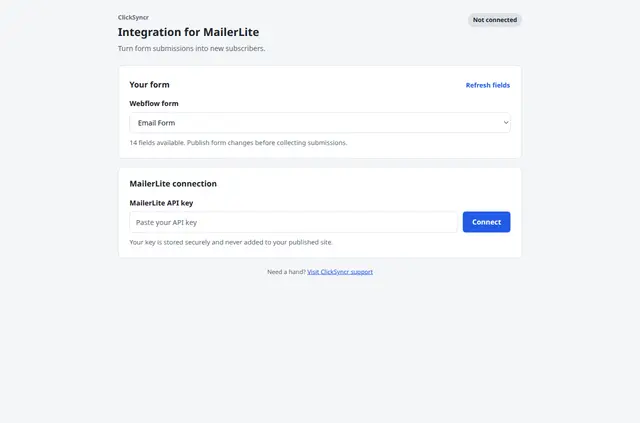
Made by ClickSyncr, the app lets Webflow users connect an API key, select a subscriber group and match form fields. Each form can have its own settings, including a different group or MailerLite account.
Worth checking first
The app is for native Webflow forms with an email field and a consent checkbox. A published site is needed to receive live submissions.
The app is listed as free, and every feature in this release is free with no in-app purchases. When installed, it can edit sites and read forms and the user profile.
What's included
- Connect to MailerLite using an API key, then choose the subscriber group for a form.
- Map Webflow form fields to MailerLite fields, and refresh the available fields when needed.
- Choose a consent checkbox; submissions are sent only when it is checked.
- Keep separate settings for each Webflow form, including different groups or MailerLite accounts.
- Revise a saved field mapping.
Common questions
Can agencies use Integration for MailerLite on client sites?
Yes. Each Webflow form has separate settings, so forms can use different MailerLite groups or accounts.
Does the app add scripts to a published Webflow site?
No. It uses Webflow’s native form webhooks and adds no scripts to the published site.
Does a site need to be published to receive submissions?
Yes. A published Webflow site is required for live submissions.
Can submissions require consent?
Yes. Select a consent checkbox in the form settings, and submissions are sent only when it is checked.
What access does the app request when installed?
It can edit sites and read forms and your user profile.