Build Conditional Forms Without Code with Flowstar Webflow App
Flowstar gives you a no-code way to build Webflow forms for contact requests, bookings, orders, and more.
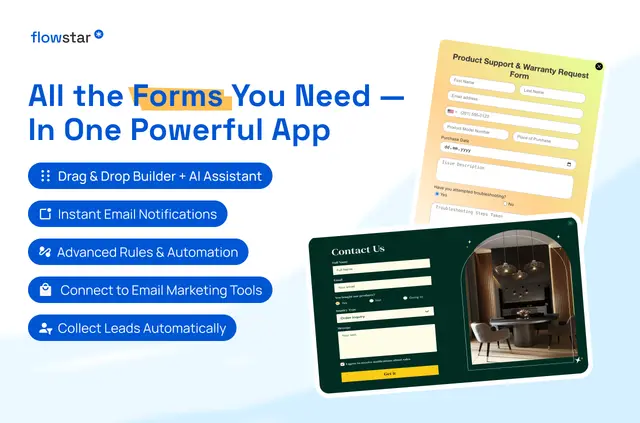
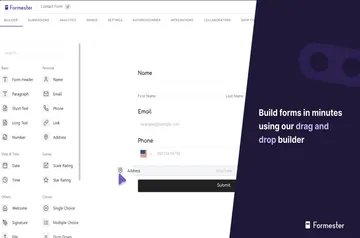
Flowstar is a no-code builder for forms on Webflow sites. You can create contact, subscription, order, booking, appointment, registration, RSVP, delivery, tracking, medical, feedback, and support forms.
Start with the builder or customize a template, then launch your form without writing code. Flowstar is listed as paid.
How setup works
Install Flowstar, open its builder, and create a form or choose a ready-made template. Customize the form and launch it on your site.
Flowstar in practice
Use forms to gather email addresses, orders, appointment requests, event registrations, or custom details. Conditional rules can show fields or trigger actions based on a visitor’s answers.
Flowstar can send email notifications and connect contacts with Mailchimp, MailerLite, or GetResponse. Its forms are designed for mobile devices and other screen sizes.
Features worth knowing
- Have the AI assistant create forms, fields, or the wording inside a form.
- Set conditional rules to control field visibility and actions based on user input.
- Adapt templates for bookings, RSVPs, medical forms, deliveries, registrations, and support.
- Choose form types such as wholesale, pre-order, tracking, subscription, and feedback.
Flowstar FAQ
Is Flowstar free?
Flowstar is listed as a paid app.
Does Flowstar work with Webflow CMS collections?
Flowstar requests permission to read Webflow CMS data.
Can AI help me create a form?
Yes. Its AI assistant can generate forms, fields, and form content.
Are Flowstar forms designed for mobile screens?
Yes. The forms are designed to work on mobile devices and other screen sizes.