Display Floating Videos and CTAs with Floating Video Webflow App
Give your Webflow visitors a floating video they can play, with a linked button and adjustable display settings.
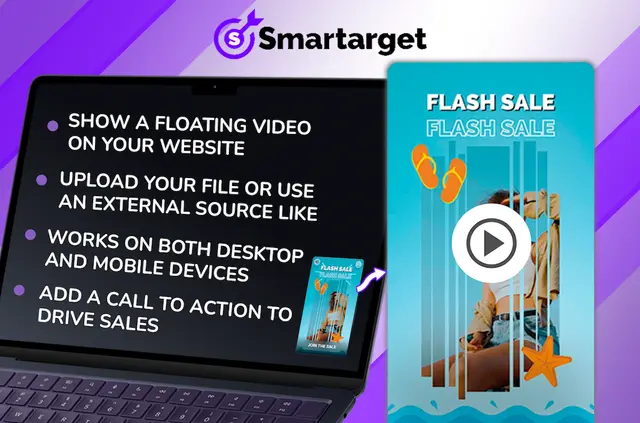
Without a floating video app, you may need to build a video display yourself or bring in another tool. Floating Video lets you show a video in a window on your site, where visitors can click to play it.
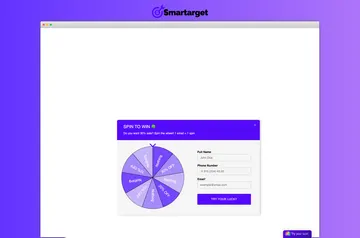
Made by Smartarget, it also gives you settings for the window’s placement, dimensions and shape, plus control over how often it appears to each visitor.
Before you install
Floating Video requests permission in Webflow to edit custom code and sites. These are the access areas you grant when installing the app.
Features worth knowing
Configure the video source and presentation to suit your site:
- Choose an uploaded file or a video hosted on YouTube, Vimeo or TikTok.
- Let visitors start playback by clicking the floating video.
- Overlay a button that sends visitors to a page you select.
- Adjust the video’s position, size, shape and button colors.
- Set how often it appears to each visitor; the video works on desktop and mobile.
Who it suits
This app can suit site owners who want video visible in a floating window without building that display themselves. It also fits projects where a video should point visitors toward a particular page, while letting you tailor its appearance to the site.
Questions about Floating Video
Can I use a video hosted outside Webflow?
Yes. You can use a video from YouTube, Vimeo or TikTok, or choose an uploaded file.
Can I direct visitors from the video to a page?
Yes. Add an overlaid button and choose the page visitors reach when they click it.
Can I control how often visitors see the video?
Yes. You can set how often the floating video appears to each visitor.
Does the floating video work on phones?
Yes. It works on mobile devices as well as desktop.
Can visitors start the video themselves?
Yes. Visitors can click the video to play it.