Transfer Figma Designs to Site Components with Figma to Webflow
Work in Webflow after exporting from Figma: bring design layers, variables and styles into your site.

You use Figma to Webflow to bring design assets into Webflow for site building and publishing. It is made for teams that design in Figma and build their sites in Webflow.
The app connects Figma with Webflow, including its CMS, Interactions and AI Assistant. After exporting, you can continue in Webflow or open your site and launch the app.
From install to first use
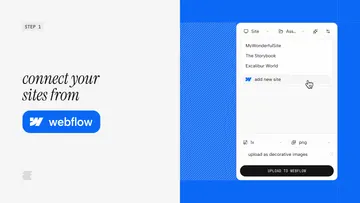
Install the Figma plugin, then authorize access to your Webflow Workspaces or sites. Export from Figma; in Webflow, continue working or open your site and launch the app, which installs automatically.
What it asks for
The app is listed as free. Its requested Webflow permissions allow it to edit assets and read sites and your user profile.
Quick answers about Figma to Webflow
What happens to Figma layers when I export them?
They can be brought into Webflow as components and elements.
Can I bring Figma variables and styles into Webflow?
Yes. Figma variables sync to Webflow variables, while text and effect styles map to Webflow classes.
Do changes come into Webflow without review?
You can review and accept updates before importing layers, variables or styles into a Webflow site.
Can I copy individual layers into Webflow?
Yes. Copy Figma layers and paste them into Webflow as elements.
Who is this app designed for?
It suits teams that create designs in Figma and build websites in Webflow.