Connect AI Chats to N8n with DigitalME n8n ChatUIWidget Webflow App
DigitalME n8n ChatUIWidget gives Webflow designers and site owners a branded chat that connects visitors with n8n workflows.
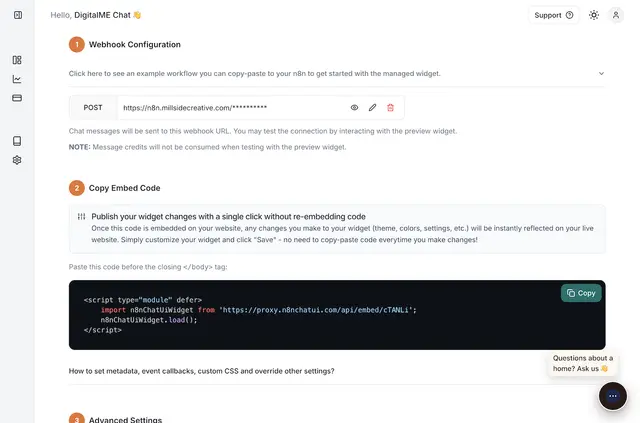
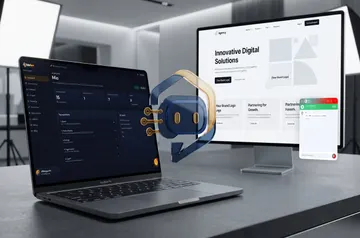
DigitalME n8n ChatUIWidget adds a customizable AI chat interface to a Webflow storefront, landing page, or web app. Visitors can ask questions about your site or get help with customer support.
The widget links the Webflow chat to automation workflows running in n8n. You can adjust its appearance to fit your site's branding.
DigitalME n8n ChatUIWidget in practice
Use the chat to answer visitor questions, qualify leads, provide customer support, or trigger workflows. Connect it to n8n.cloud or to an n8n instance hosted on your own server.
The conversation can stream in real time and display rich text. Opening prompts and dynamic quick replies can give visitors options for starting or continuing a chat.
Setting it up
Install the app in Webflow; it requests permission to edit custom code and sites. Then create an account at n8nchatui.com, where you can design and configure a chat widget.
Connect the widget to a workflow hosted on n8n.cloud or on a self-hosted n8n instance, and tailor its appearance to your site.
Common questions
Can I use this on a Webflow landing page?
Yes. The app is intended for Webflow landing pages, storefronts, and web apps.
Where can I customize the widget's appearance?
You can tailor the widget's look to match your site's branding.
Can the chat connect to a self-hosted n8n workflow?
Yes. It connects to workflows on a self-hosted n8n instance or on n8n.cloud.
What can I use the chat for on my site?
Use it to answer site questions, support customers, qualify leads, or trigger workflows.