Display Business Hours with Business Opening Hours Webflow App
Add a floating open-or-closed status display to a Webflow site, with hours that follow a configured schedule.
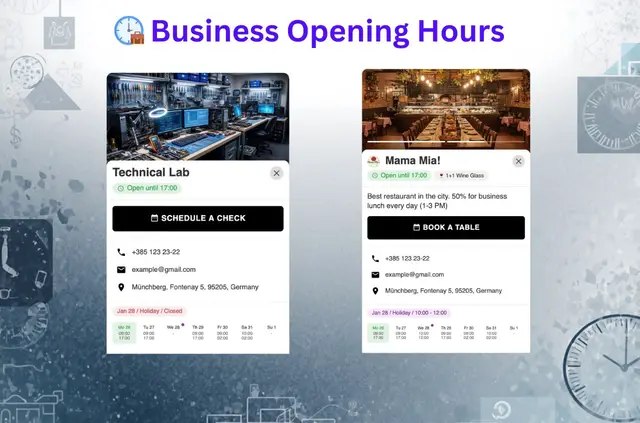
Businesses can show visitors whether they are open without manually changing a status message. The floating display updates its status automatically according to the schedule configured for the site.
Site teams can set different hours for each weekday and account for holidays, events or seasonal changes. The display can also share contact information and point visitors toward a task such as booking.
Features worth knowing
- Set opening hours for each day of the week and create separate schedules for holidays, events or seasonal changes.
- Include a business phone number, email address and street address in the display.
- Add a logo, promotional badges or rotating images to the panel.
- Provide action buttons for tasks such as booking or getting directions.
Business Opening Hours in practice
In a Webflow project, the app shows visitors a current open-or-closed status in a floating display. Its status changes automatically based on the configured schedule, so a business can account for its regular hours as well as a holiday closure or seasonal adjustment.
The panel can combine the status with practical information, such as an email address or phone number, and a button for directions. Branding options let the business add a logo, badges or rotating images.
Permissions to expect
When installed, Business Opening Hours can read Webflow sites and edit custom code. These are the two access permissions it requests for a Webflow project.
Common questions
Who makes Business Opening Hours?
Smartarget makes Business Opening Hours.
Can opening hours vary by day?
Yes. Hours can be configured separately for each day of the week, with special schedules for holidays, events and seasonal changes.
Can the display include a business logo or promotions?
Yes. Branding options include a logo, promotional badges and rotating images.