Schedule Recurring CMS Events with Loop Events Webflow App
In the Webflow Designer extension, create future CMS event items from one reusable template.
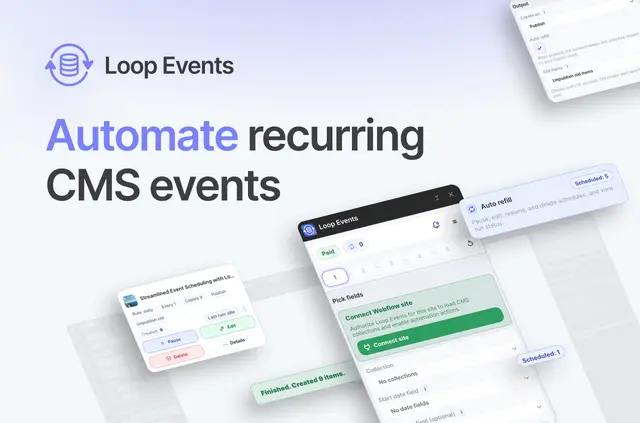
When you publish recurring classes, workshops, services or promotions, you need future event entries without creating each one by hand. Loop Events generates them from one event template according to a schedule you set in the Webflow Designer extension.
Choose daily, weekly, monthly or custom recurrence rules. You can select weekdays or specify an nth weekday of the month, then set how many future items to keep available.
Setting it up
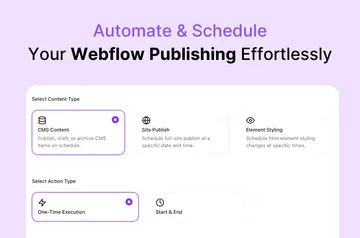
Install Loop Events and open it in the Webflow Designer extension. Use the extension to set up and schedule the app without code. Begin with a single event template, then choose the recurrence rule for future CMS entries.
Set a target number of future items. When the count falls below that target, Loop Events can create replacements. Enable Auto Refill to keep checking and adding entries while the app is closed.
Limits to know
The app works with date and date-time fields and retains the time span between an event’s start and end. You can inspect run history and manage schedules by pausing, resuming, retrying or deleting them.
On the Free plan, each run can make no more than 10 copies, and you can have one Auto Refill schedule; you cannot edit schedules. Paid plans raise the per-run cap to 100 copies, allow unlimited Auto Refill schedules and include schedule editing. One paid subscription works across your Webflow sites. Installation requests permission to edit CMS and sites.
Questions about Loop Events
Does Loop Events work with Webflow CMS collections?
Yes. It creates future Webflow CMS items from one event template, based on the schedule you configure.
Does Loop Events suit client projects?
It can serve client sites with recurring services, classes, workshops, promotions, hospitality events or other time-based CMS content.
Is Loop Events free?
A free option is available. Paid plans offer a higher per-run copy limit, more Auto Refill schedules and schedule editing.
Can I change a schedule after setting it up?
Schedule editing is included in paid plans. Free-plan schedules cannot be edited.
Does Auto Refill run when I close the app?
Yes. When enabled, Auto Refill keeps checking the future-item total and creates replacements if it falls short, even when the app is closed.