Automate CMS Content Social Publishing with BulkPublish Webflow App
Webflow teams use BulkPublish to turn new CMS items into social posts with selected content and a link to each published page.
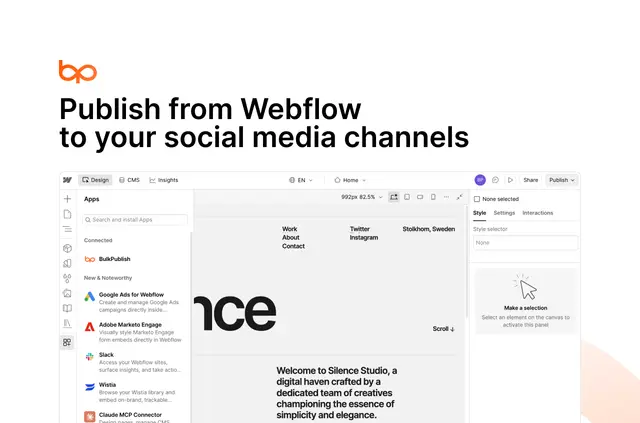
Publishing a CMS item can also mean preparing a social post. BulkPublish connects a Webflow site to a BulkPublish account, then uses collection settings to share selected item content and a link to its page.
Teams can set a collection to post when an item is created or published. Posts show on a calendar and can follow workspace roles and approval steps for teammate review.
What's included
- Choose collection fields and build a caption template for the social post.
- Set sharing to happen at item creation or publication, according to the collection’s needs.
- Preview how a post will look on each chosen social channel before sharing.
- Use the calendar and workspace roles or approvals to support teammate review.
Things to keep in mind
Each item is shared once, and archived items are left out. Long text is shortened, while the page link stays intact.
Webflow authorization grants BulkPublish permission to edit CMS and sites. Collections flag issues such as absent fields or a channel requiring reconnection; a site can be unlinked to revoke access. A free plan is available, while paid plans include more channels and features.
Questions about BulkPublish
How do you install BulkPublish in Webflow?
Connect a Webflow site through a BulkPublish account, then approve access on Webflow’s authorization screen. The requested access covers editing CMS and sites.
Can posts go out when an item is created instead of published?
Yes. Each collection can be configured to share items when they are created or when they are published.
Can teammates review posts before they are shared?
Posts appear on a calendar and can use workspace roles and approval steps for teammate review.
What happens if a CMS item has a problem that prevents sharing?
The collection points out sharing issues, including missing fields or a social channel that needs to be reconnected.
Can BulkPublish access be removed from a Webflow site?
Yes. Unlinking the site removes BulkPublish’s access.