Recover Abandoned Carts via Email with Maicoro Webflow App
Maicoro helps Webflow store owners bring shoppers back to checkout with automated abandoned-cart emails.
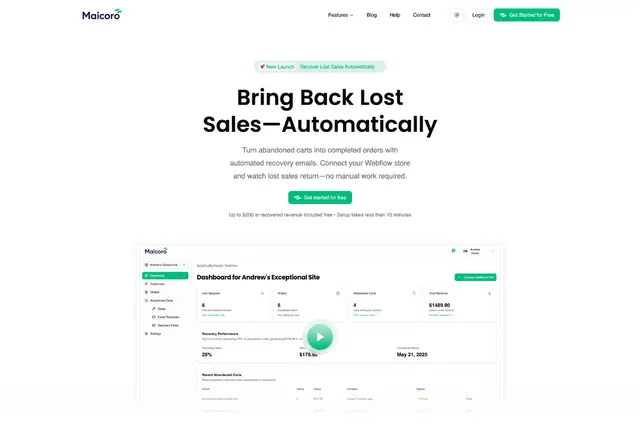
Shoppers who leave a Webflow checkout without ordering can receive scheduled reminders that show their cart items and order total. Maicoro stops sending follow-ups as soon as they complete the purchase.
Store owners connect a site through OAuth, pick an email flow and schedule, then use the dashboard to track results. The setup does not require coding.
Features worth knowing
- Choose from four professionally designed templates and edit the message and send timing.
- Create a sequence with several email touchpoints for each abandoned cart.
- Personalize reminders with cart contents, order totals and dynamic variables.
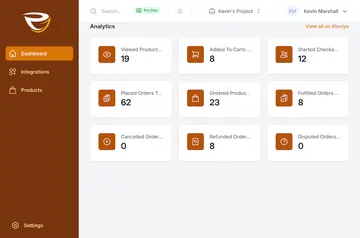
- Use analytics to assess email engagement, revenue recovered and cart recovery performance.
Maicoro in practice
In a Webflow ecommerce project, Maicoro tracks carts left behind when shoppers exit checkout before placing an order. It sends reminders according to the selected flow and schedule, then ends the sequence after a purchase.
This gives store owners an automated way to follow up rather than tracking abandoned carts and sending each reminder themselves.
Who gets the most out of it
Maicoro is suited to Webflow ecommerce stores that want to automate cart follow-ups without writing code. Its templates, timing controls and multi-email sequences let owners shape reminders around their products and shopping flow.
The app requests permission to edit custom code, ecommerce and sites. A Webflow Ecommerce plan is required, and Maicoro is listed with both a free option and paid plans.
Quick answers about Maicoro
Which Webflow plan does Maicoro need?
Maicoro requires a Webflow Ecommerce plan.
Can reminder emails show the products left in a cart?
Yes. Messages can include cart items, order totals and dynamic variables.
Does Maicoro keep emailing after a shopper orders?
No. It automatically stops the follow-up emails when the shopper completes the order.
Can store owners change when reminder emails are sent?
Yes. They can customize email timing and choose a schedule for the flow.
How does a store connect Maicoro to Webflow?
The store connects through OAuth. The owner then selects an email flow and schedule, and monitors results in the dashboard.