Enhance and Generate Images with AI Image Enhancer Webflow App
Create or revise images in Webflow Designer by prompting AI Image Enhancer from an image element or text prompt.
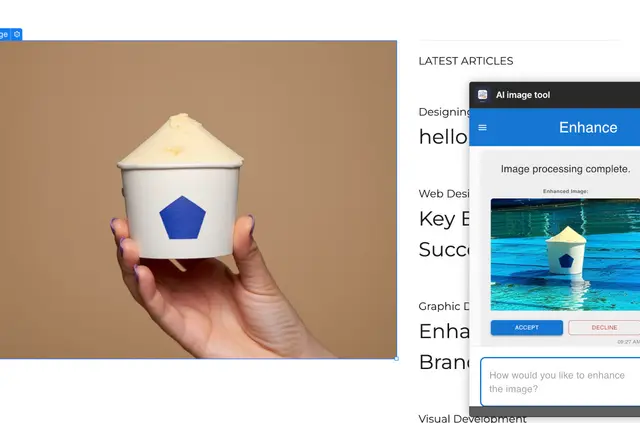
Webflow designers, agencies, freelancers, and teams can make or revise project imagery without leaving Designer. For an edit, select an image element and describe the change; for a new image, enter a text prompt.
Optional reference images can guide the style of generated images.
What it handles
AI Image Enhancer sends images to Google’s API with a personal Gemini API key. It applies generated or enhanced images to Webflow elements for use in the project.
Caveats
The extension is free, but Google AI Studio usage is billed to the user’s Google account and is typically under $0.01 per operation. A Google AI Studio API key is required.
The key stays in the browser session, and the app says it does not store keys or images. Development requires Node.js 16.20 or later.
Getting started in Webflow
Install the extension on a Webflow site and provide a Google AI Studio API key. In Designer, select an image element for an edit, or enter a text prompt to create an image. Add reference images if desired.
AI Image Enhancer FAQ
Can I guide a generated image’s style?
Yes. Upload reference images along with a text prompt to guide the style.
Who pays for Google AI Studio usage?
Usage is billed to the Google account associated with the API key, typically under $0.01 per operation.
Does the app retain images or API keys?
The app says it does not store images or keys. The API key remains in the browser session.
What is required to develop the extension?
Development requires Node.js 16.20 or later.