Webflow Cloneables Mouse-Follower
Explore a range of mouse-follower Webflow cloneables to enhance user experience on your website. Easily integrate these interactive elements into your Webflow projects.
1 cloneable

Questions about Mouse-Follower.js cloneables
What is Mouse-Follower.js?
Mouse-Follower.js is a lightweight JavaScript library that enables custom cursor animations and interactions on websites. It allows developers to create smooth, customizable cursor effects that follow the user's mouse movement, enhancing the user experience with dynamic visual feedback. Ideal for adding interactive elements to Webflow projects, Mouse-Follower.js can be used to create hover effects, magnetic interactions, and creative cursor designs. It integrates easily with GSAP for seamless animations, making it a powerful tool for modern web design.
What are some effective ways to implement mouse follower effects in Webflow?
Mouse follower effects in Webflow can be implemented using custom CSS and JavaScript. You can create a div element and style it as a cursor, positioning it with position: fixed or absolute. Use JavaScript to track the mouse movement with mousemove and update the element’s position dynamically. For smooth motion, apply transform: translate() combined with requestAnimationFrame() or GSAP for smoother animations. Webflow’s interactions can also trigger animations based on cursor position, but for more advanced behaviors like magnet effects or custom cursors, JavaScript provides more flexibility.
What are the best Webflow cloneables that feature Mouse-Follower.js for interactive cursors?
Best Webflow Cloneable Featuring Mouse-Follower.js for Interactive Cursors
For those looking to enhance user interaction with dynamic cursor animations in Webflow, the following cloneable is highly recommended:
1. Enhance User Interaction with Custom GSAP Mouse Cursor Effects
URL: View Cloneable
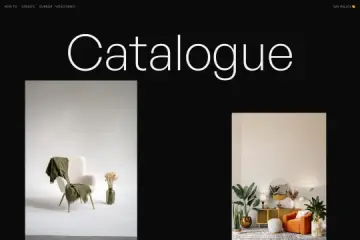
This Webflow cloneable leverages GSAP and Mouse-Follower.js to create engaging custom cursors. It allows designers to implement smooth, interactive mouse follower effects, improving user experience and adding a touch of creativity to their projects.
Use Cases:
- Enhancing UI interactivity with dynamic cursor aesthetics.
- Implementing hover-triggered cursor animations for engaging web experiences.
- Ideal for creative portfolios, interactive landing pages, and immersive web applications.
By utilizing this cloneable, Webflow users can dramatically improve their site's interactivity and visual appeal with minimal effort.