Collect Product Launch Signups with Waitlister Webflow App
Add Waitlister signup forms to Webflow pages for product launches, beta access, events, and other campaigns.
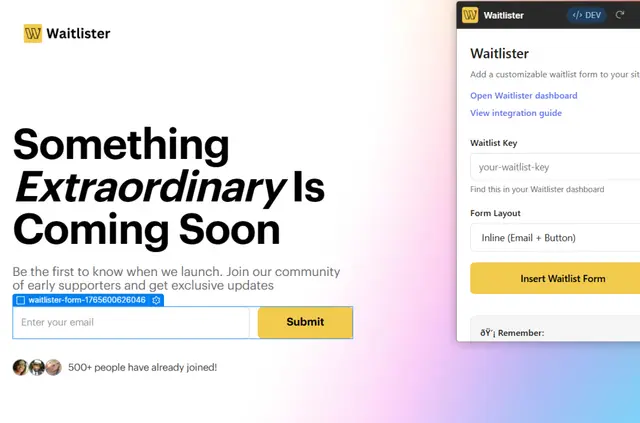
Founders, launch teams, and agencies can use Waitlister to collect signups from Webflow pre-launch pages. Use it for beta access, pre-orders, event registration, coming-soon pages, or early-access campaigns.
Feature notes
- Choose an inline form with an email field or a full form with name, email, and a button.
- Customize the inserted form in Webflow, including its responsive styles, focus states, and accessibility features.
- Track referrals, receive email notifications, and review signups in an analytics dashboard.
Setting it up
To get started, you need a Waitlister account, a waitlist key, domain whitelisting, and access to Webflow Designer. In Designer, enter your key, select a layout, then add the form to your page.
What you can do with it
Waitlister connects Webflow forms to its service through a configured POST request, sending submissions to its servers automatically. You can use the forms on sites with custom domains and tailor them to the campaign page.
Waitlister FAQ
Can agencies use Waitlister on client sites?
Yes. Agencies can create pre-launch pages for clients and use Waitlister forms to collect campaign signups.
Can I use Waitlister with a custom domain?
Yes. Waitlister supports Webflow sites that use custom domains.
What form layouts can I add?
You can choose an inline email form or a full form with name and email fields, plus a button.
What happens to form submissions?
A configured POST request sends submissions automatically to Waitlister’s servers.
Does Waitlister have a free option?
Waitlister is listed with a free option and paid plans.