Show Recent Sales Notifications with Social Proof Sales Webflow App
Add sales activity to your Webflow site with notifications that show visitors selected purchases in progress.
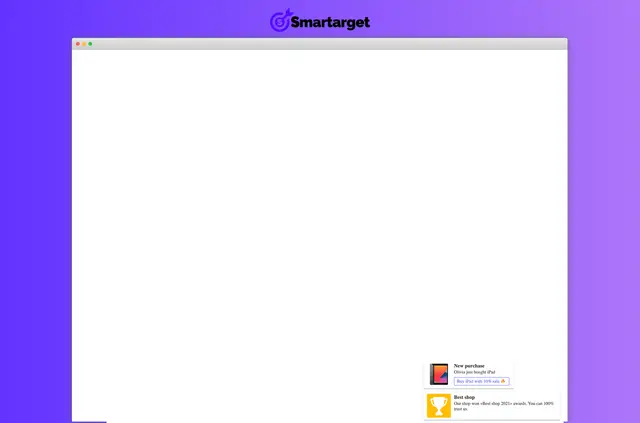
Give visitors a view of sales activity as they browse your Webflow site. Social Proof Sales displays selected purchases as ongoing activity to support customer confidence.
Made by Smartarget, the app works across platforms, including Webflow, and its notifications are supported on desktop and mobile devices.
When it's a good fit
Social Proof Sales suits merchants who want to draw attention to chosen products and show site visitors that purchases are taking place. Presenting selected sales as ongoing activity can support customer confidence as people browse.
Features worth knowing
Choose what visitors see and control how notifications appear.
- Select the products you want to promote and customize the customer names shown.
- Set how frequently notifications appear and how many promotions to display.
- Adjust the notifications’ appearance to suit your website’s style.
- Notifications are supported on desktop and mobile devices.
Permissions to expect
When you install Social Proof Sales, it can edit custom code in Webflow and read your sites. These are the two types of Webflow access the app requests.
Quick answers about Social Proof Sales
Can I choose which products appear in the notifications?
Yes. You can select the products you want to promote.
Can I change the customer names shown?
Yes. You can customize the names displayed in the sales notifications.
Can I control how often notifications appear?
Yes. Settings let you adjust notification frequency and the number of promotions shown.
Can I match the notifications to my site’s design?
Yes. You can adjust their appearance to suit your website’s style.
Do the notifications work on mobile?
Yes. Notifications are supported on both desktop and mobile devices.