Collect and Display Customer Reviews with Kudobuzz Reviews Webflow App
In your Webflow project, Kudobuzz Reviews collects, manages, and displays customer reviews for your online store.
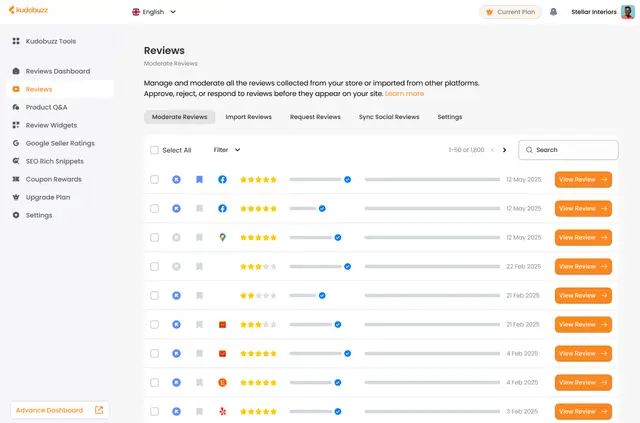
Use Kudobuzz Reviews to gather feedback after a purchase and bring reviews from other platforms into one place. It is suited to online merchants who want to collect and present customer opinions.
The app requests permission to edit custom code and read your Ecommerce, sites, app subscriptions, and user profile.
From install to first use
Install Kudobuzz Reviews in Webflow. During installation, it requests access to the areas listed above. The app is listed with a free option and paid plans.
To begin using it, set up review requests, import reviews, or choose a display option. You can then adjust a widget’s colors, fonts, and layout for your website.
What it handles
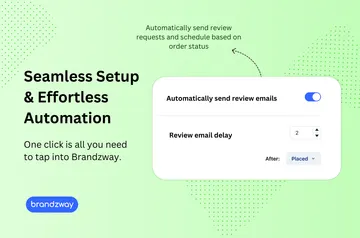
Kudobuzz can email or WhatsApp customers after a purchase to ask for a review. You can also import reviews from Google, Facebook, Etsy, Amazon, AliExpress, and Yelp. For Google and Facebook imports, it connects through official APIs.
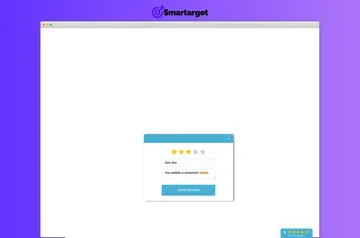
Manage and respond to customer reviews from a central library. Show feedback on your site with widgets, star ratings, sliders, side tabs, or photo galleries. You can offer discount codes in exchange for photo and video reviews.
Quick answers about Kudobuzz Reviews
Can I use Kudobuzz Reviews on an Ecommerce site?
Yes. Kudobuzz Reviews collects, manages, and displays feedback for online stores, and requests access to Webflow Ecommerce data.
Who makes Kudobuzz Reviews?
It is made by Kudobuzz's Workspace.
Can Kudobuzz ask customers to leave reviews after a purchase?
Yes. It can send review requests by email and WhatsApp after customers make purchases.
Which review formats can I show on my website?
Options include widgets, star ratings, sliders, side tabs, and photo galleries. You can tailor widget colors, fonts, and layout to your site.