Build Custom Restaurant Menus with Flowstar Webflow App
Build a customizable restaurant menu for a Webflow site, with layouts and settings suited to its dishes and visitors.
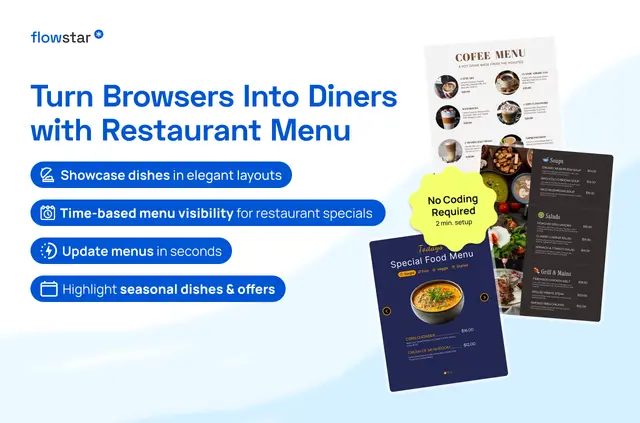
Flowstar works with Webflow websites. Restaurant teams use templates and controls to configure menus without writing code, then adapt the menu’s appearance to their site.
Responsive designs suit different devices, and timezone and currency settings can shape what visitors see in different locations.
From install to first use
Install Flowstar and allow it to edit sites and custom code, and read CMS content, pages, assets, ecommerce data and the user profile. Use the app’s templates and controls to configure a menu for a Webflow website.
The main tools
- Choose a tabbed, slider, list or grid format, and arrange items by meal type, price or section.
- Style menus with custom fonts, colors and images, and add categories, logos, contact details or icons.
- Use optional dish popups to display extra information about menu items.
- Restaurant owners can revise item names, descriptions and prices, and add daily or seasonal specials.
Quick answers about Flowstar
Which types of food businesses is Flowstar suited to?
It is suited to restaurants, cafés, bars, bakeries and food delivery services.
Can menu items be grouped by meal type or price?
Yes. Items can be organized by meal type, price or section.
Can owners change dishes and add specials?
Owners can edit item names, descriptions and prices, and add specials for a day or a season.
Is Flowstar paid?
Yes. Flowstar is listed as a paid app.
What Webflow permissions does Flowstar request?
It can edit custom code and sites, and read CMS, pages, assets, ecommerce and the user profile.