Efficient Lead Generation with Growform: Webflow App for Multi-Step Forms
Give a Webflow site multi-step forms for lead generation, contact requests, surveys, quizzes, and interactive experiences.

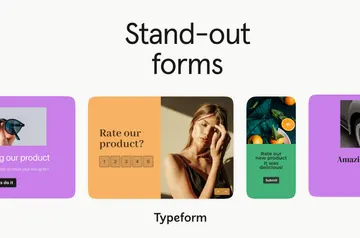
Marketing teams and site builders use Growform to create forms for leads, contact requests, surveys, quizzes, and app-like experiences. They can style forms to fit a brand and add them to Webflow without code.
From install to first use
Install the app, authorize the Webflow sites, create a free Growform account, and link it to Webflow. Choose a location for the form on a site, then select Embed in the Growform extension.
Forms can be placed in Webflow sections, divs, or containers, as well as pop-ups and modal windows.
What it handles
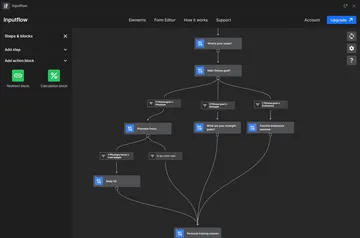
Build forms with multiple steps and conditional logic that shows or hides fields and steps according to earlier responses. The builder includes over 100 templates and more than 25 field types, including hidden fields for UTM parameters.
Add progress bars, set fonts and colors, apply CSS, and configure email alerts. Forms can end with a thank-you page or redirect. Growform supports Google ads, Facebook ads, and Google Tag Manager for tracking and tags.
Access and pricing
Growform is listed with a free option and paid plans. Its Webflow permissions allow it to read sites and edit custom code.
Growform FAQ
Where do I use Growform once it's installed?
Pick a location on a Webflow site and choose Embed in the Growform extension. The form can go in a section, div, container, pop-up, or modal window.
Does Growform suit client projects?
It supports branded interactive experiences without code, including lead and contact forms, surveys, and quizzes.
Can a form show different steps based on responses?
Yes. Conditional logic can show or hide fields and steps based on earlier answers.
Can I capture UTM parameters in a form?
The builder has hidden fields for UTM parameters.
Can forms show a progress bar?
Yes. Growform forms support progress bars.
Is Growform yours? Add the badge
Show visitors that Growform is featured on FlowFav. Pick a style; the badge is a small image that links to this page and loads no script.
<a href="https://www.flowfav.com/app/efficient-lead-generation-with-growform-webflow-app"><img src="https://www.flowfav.com/badge/featured-card-light.svg" alt="Featured on FlowFav" width="146" height="54"></a>