Floating Cookie Consent Card Webflow Cloneable
A bottom-right cookie consent card with Accept, Reject, and Preferences buttons, plus category checkboxes for sites configuring visitor consent.

About cloneable
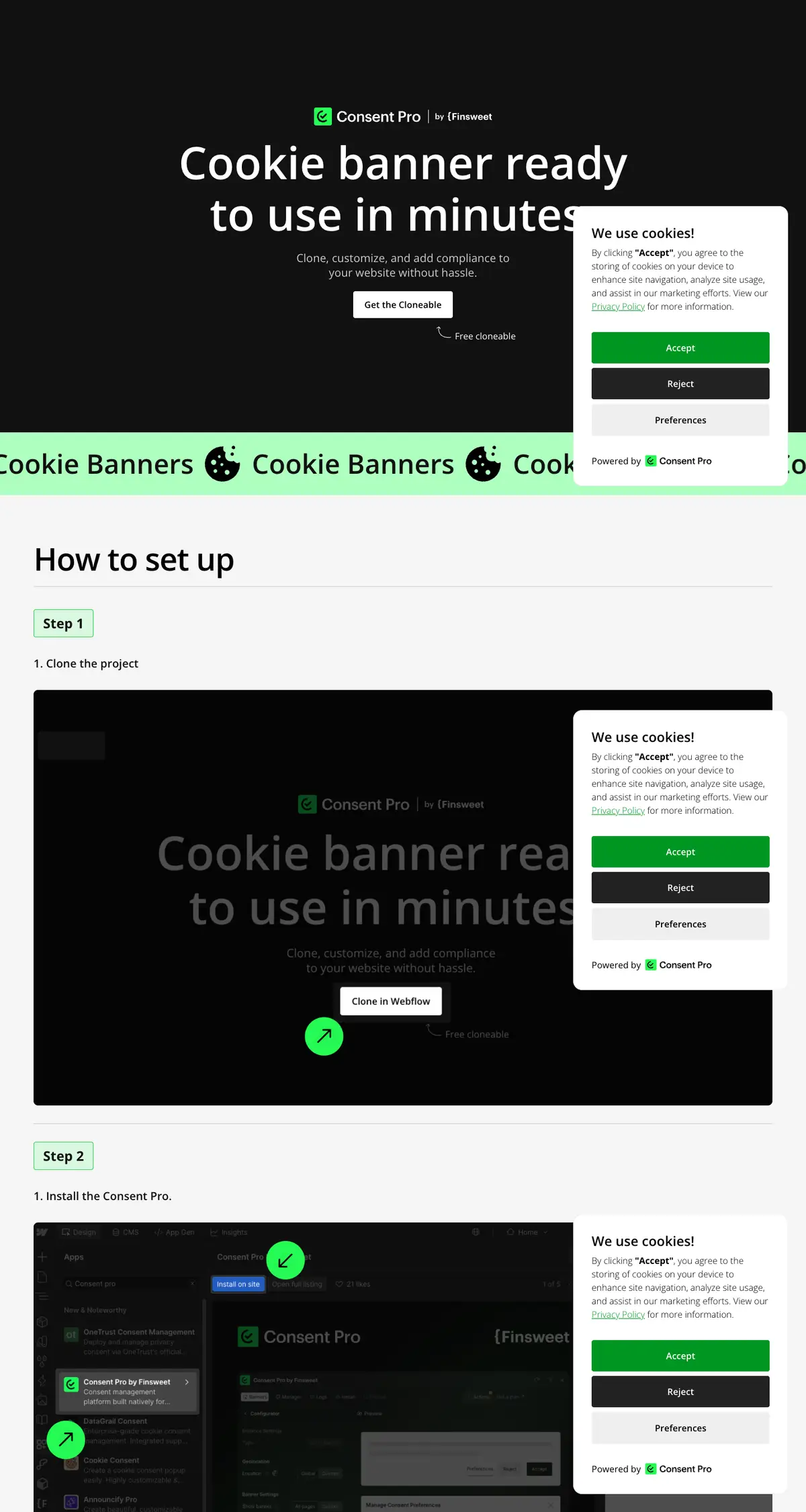
This cloneable adds a cookie consent card to a website. The tall white panel sits at the bottom-right of the page, with a “We use cookies!” heading, explanatory text, and three full-width buttons arranged vertically: Accept, Reject, and Preferences. Consent Pro branding appears below the buttons. The example page also includes a dark hero area with a clone link, a repeating green Cookie Banners strip, and a setup section with numbered steps.
Selecting Preferences opens a full-width panel at the top of the screen. It contains square checkboxes for Essentials, Analytics, Marketing, and Personalization, giving visitors a way to manage consent by category. The banner is built around Consent Pro, Finsweet’s cookie consent tool for Webflow. The example’s setup instructions begin with cloning the project and installing Consent Pro.
A site owner could clone this layout to add a compact consent prompt without covering the main page with a blocking overlay. It provides a starting point for a site that needs to present cookie choices and let visitors review preference categories. The card’s text, styling, and placement can be adapted to fit the site.