Add SVG Icons to Canvas with Smootify Icons Webflow App
Inside the Webflow Designer, Smootify Icons places SVG icons on the canvas at the selected Navigator position.
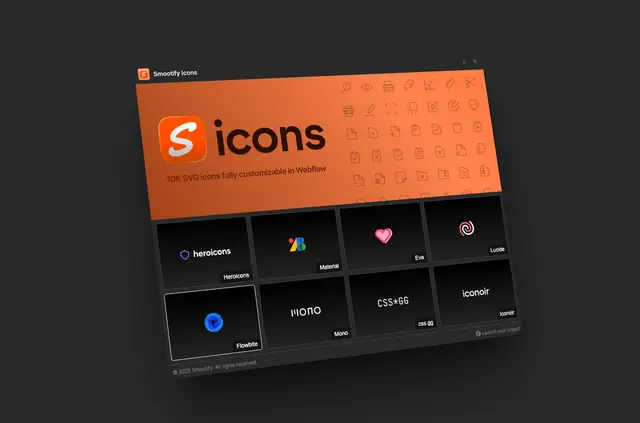
In the Webflow Designer, Smootify Icons offers a large SVG collection for site layouts. Its eight libraries include Lucide, Iconoir, Hero Icons and Google Material Icons.
Select an icon and library to place the SVG at the current Navigator selection. Eclipse SRL makes the app, which is listed as free.
Who it suits
Webflow designers can use Smootify Icons when adding visual symbols to site pages. It also suits ecommerce projects built with Smootify, giving their designers access to the same icon selection.
What it handles
The app inserts a chosen SVG into the canvas at the selected Navigator item. Once it is in the project, its color and dimensions can be adjusted in Webflow.
Smootify Icons FAQ
How many icons does Smootify Icons offer?
It provides more than 10,000 SVG icons for Webflow projects.
Which icon libraries are included?
The app has eight libraries, among them Google Material Icons, Iconoir, Hero Icons and Lucide.
Where does an icon appear in my Webflow project?
It is placed on the canvas at the current Navigator selection.
Can I change an icon after adding it?
Yes. Its color and size can be adjusted in Webflow.
Who makes Smootify Icons, and what does it cost?
Eclipse SRL makes the app, and it is listed as free.