Generate Social Images from CMS Data with Orshot Webflow App
Generate social images from Webflow CMS fields and send each finished image to its matching item.
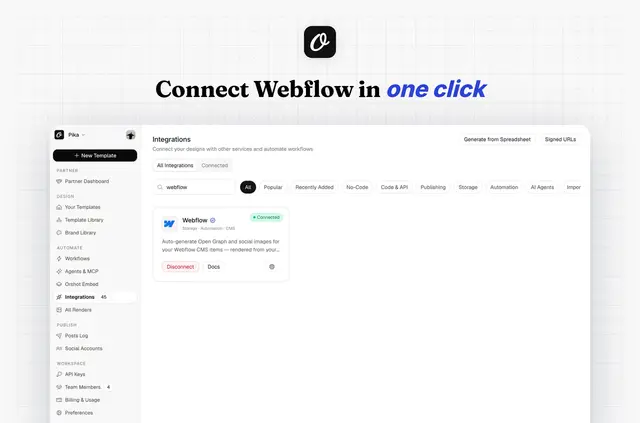
Orshot works with Webflow CMS data and a template built in its visual editor. It is for sites that need item-specific social images for posts, case studies, products, or other collection content.
Connect Webflow, choose sites and a collection, then map collection fields to template elements. Orshot sends rendered images to the Asset Manager and assigns them to the selected CMS items’ Image field.
Limits to know
Images can be generated when CMS items are added or updated, or for all items in a collection through one backfill. To use a render for social sharing, configure the selected Image field as the collection page’s Open Graph image.
Orshot does not publish sites or edit pages, and its access is limited to the CMS items and assets selected. Beyond social images, its templates can render PDFs and videos using sources that include Google Sheets, Airtable, Notion, HubSpot, and Slack.
Before you install
Orshot is listed as free, and its Webflow integration works with every site plan, including free plans.
The requested Webflow permissions allow reading sites and your profile, plus reading and editing CMS items and assets. Orshot also requests your name and email.
Questions about Orshot
How do I add Orshot to a Webflow site?
Connect Webflow, select a site and collection, map the needed fields to the template, and choose the destination Image field. Set that field as the Open Graph image in the collection page settings.
Who is the developer behind Orshot?
Orshot is made by Rishi's Workspace.
Can Orshot create images for items already in a collection?
Yes. Orshot can backfill an entire collection in one run.
Can Orshot render anything besides social images?
Yes. Its templates can also produce PDFs and videos.
Can Orshot generate images when a CMS item changes?
Yes. Image generation can run for new or updated CMS items.