Show Content by Visitor Rules with Conditional Render Webflow App
Show or hide Webflow elements using visitor details, timing, campaign links and other conditions.
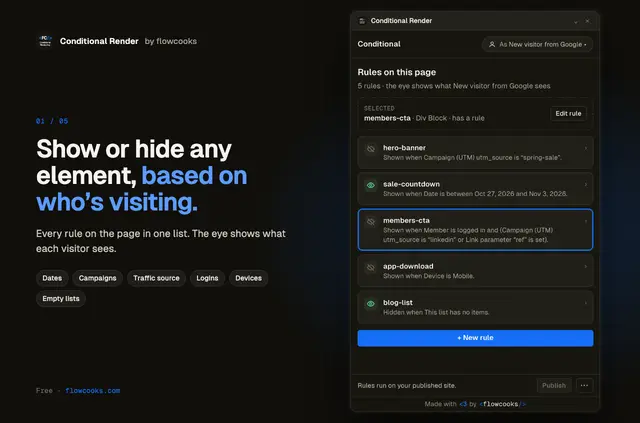
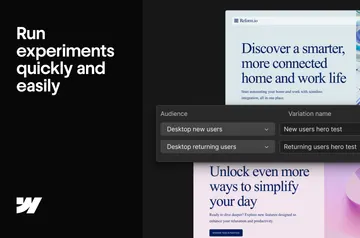
Without Conditional Render, builders may need to update pages by hand or add separate tools to vary what visitors see. Conditional Render lets them create display rules in Webflow Designer, then evaluates those rules in visitors’ browsers on the published site.
The rules can respond to dates, referral sources, form answers and other visitor context. Builders can preview a site as different visitors before publishing the rules.
Access and pricing
Conditional Render is free on every site and is listed as free. When installed, it requests permission to edit custom code and sites, and to read the Webflow user profile.
What it handles
A rule can show an element during a campaign, hide it on certain weekdays, or change what appears based on a visitor’s device, language or referral source. Conditions also cover link parameters, visit counts, dates and times, plus Memberstack status or plan.
Rules can target CMS list contents, form answers, cookies and values saved in the browser. AND and OR logic, nested groups, negative conditions and 12 templates help define which visitors meet a rule. The script checks again as time passes, visitors scroll or submit forms, and CMS lists reload.
From install to first use
Installation starts by connecting a site and adding the script through Webflow’s Custom Code API. Publish the site to run the script, then create rules in Designer and preview the site as different visitors before publishing those rules.
The script is about 8 KB gzipped and makes no network requests. Hidden elements remain in the page, so this approach is not suitable for protecting private or paid material. Conditional Render connects to Memberstack; other login tools can be supported through an advanced JavaScript hook.
Common questions
Can non-developers use Conditional Render?
Rules are created in Webflow Designer, and templates are available to help define them. Setup also requires connecting a site and adding a script through Webflow’s Custom Code API.
Where do I use Conditional Render once it's installed?
Create rules in Webflow Designer. The script checks them in visitors’ browsers on the published site.
Who is the developer behind Conditional Render?
Conditional Render is made by Flowcooks.
Can Conditional Render protect paid content?
No. Hidden content stays in the page, so the rules should not be used to secure private or paid material.
Does Conditional Render work with login tools besides Memberstack?
It connects to Memberstack and can support other login tools using an advanced JavaScript hook.