Fulfill Orders via Amazon with Amazon Fulfillment (MCF) Webflow App
Route Webflow Ecommerce orders to Amazon MCF for picking, packing and shipping.
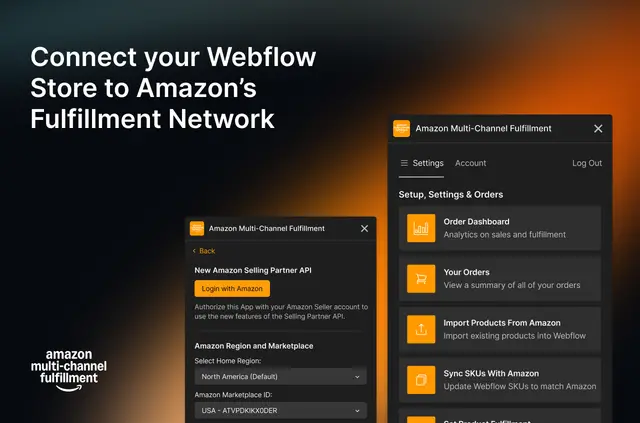
Get Webflow Ecommerce orders picked, packed and shipped through Amazon by connecting your store to Amazon MCF. Orders are forwarded automatically when customers buy from your site.
You can send stock to Amazon warehouses directly from suppliers. Amazon ships orders in unbranded boxes and manages returns, with returned goods put back into stock automatically.
How setup works
Install the app and connect your Webflow Ecommerce store to Amazon MCF. After the connection, new orders from the store are sent to Amazon for fulfillment.
Who it suits
This suits Webflow Ecommerce businesses that want Amazon to take care of order fulfillment. It can also work when suppliers send inventory straight to Amazon warehouses.
Your store can offer standard delivery in three days or delivery in two days. Built-in analytics give you sales and shipping insights.
What it asks for
The app is paid, with a single usage-based plan. Charges depend on the amount shipped, and there are no long-term contracts.
It can edit your CMS, ecommerce and sites, and read your user profile. Never Settle made the app.
Questions about Amazon Fulfillment (MCF)
Does the app provide sales or shipping analytics?
Yes. Built-in analytics provide insights into sales and shipping.
Can suppliers send stock to Amazon warehouses?
Yes. Suppliers can send inventory directly to Amazon warehouses for fulfillment.
Does Amazon branding appear on the shipping boxes?
No. Orders ship in packaging without Amazon branding on the boxes.
What happens to returned items?
Amazon handles customer returns, and returned items are automatically restocked.
What permissions does the app request in Webflow?
It requests permission to edit your CMS, ecommerce and sites, and to read your user profile.