
Modal Prevent Scroll on Open Webflow cloneable
Enhance user engagement with the Modal System Webflow cloneable by Waldo Broodryk. Prevent background scrolling to focus users on modal content. Easily customizable for seamless integration into Webflow projects, improving overall user experience and interactivity.

About cloneable
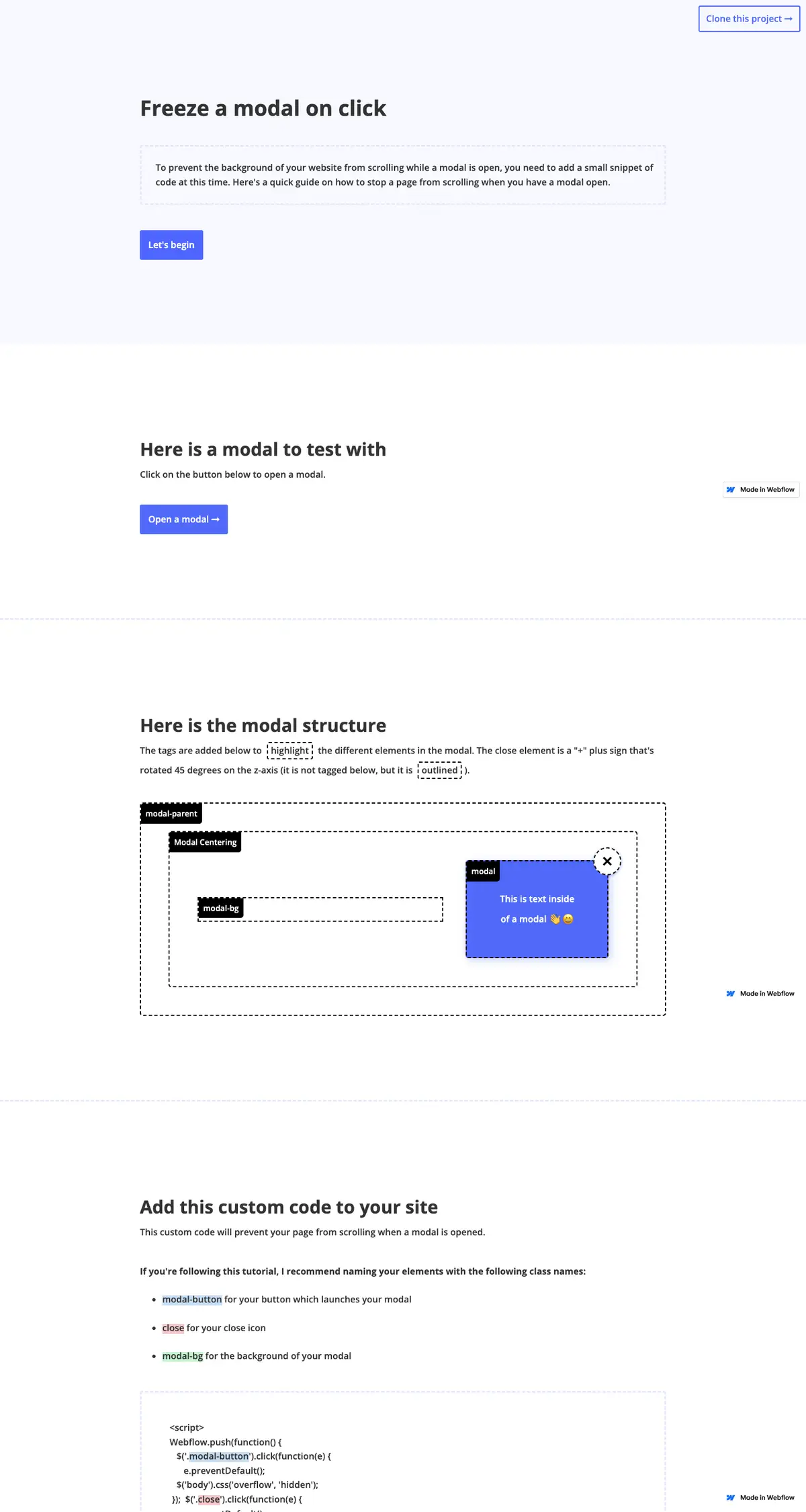
This Webflow cloneable, crafted by Waldo Broodryk, serves as an effective guide for implementing modals that prevent background scrolling, enhancing user engagement on any website developed with Webflow. When a modal is activated, the simple integration of a custom code snippet ensures that the page in the background remains static, allowing users to focus entirely on the modal's content. This feature minimizes distractions and improves overall user experience.
The cloneable includes an interactive demonstration where users can quickly test the modal functionality by opening and closing the modal with a button or by clicking the modal's background. The design clearly outlines each structural component, making it easy for Webflow users to understand and replicate the modal setup.
With a structured approach to naming elements, users benefit from straightforward customization, allowing seamless integration into their existing projects. By utilizing small yet impactful HTML, CSS, and JavaScript snippets provided, integrating a modal system becomes a hassle-free process.
In implementing this cloneable, Webflow users can expect to gain an enhanced layer of interactivity on their websites, ensuring that important messages or calls to action are prioritized without background interference. This not only elevates the site’s aesthetic appeal but also significantly boosts user engagement by maintaining their focus on essential content.
About CSS
What does the CSS code for text selection do in Webflow?
The provided CSS code customizes the text selection colors for different browser engines. The ::selection pseudo-element targets WebKit and Blink browser engines (like Chrome and Safari), while the ::-moz-selection targets Gecko browsers (like Firefox). Both styles set the background color of the selected text to a light green shade (#b7ffc8) to enhance user experience in Webflow by providing visual feedback when users highlight text.
How does the CSS for html and body height work in Webflow?
The CSS properties applied to html and body with height: 100%; ensure that these elements take up the full height of the viewport. This is particularly useful in Webflow for layouts that require certain elements to be vertically centered or to cover the full screen, allowing for easier design management and structure.
About Javascript
How does this JavaScript code integrate Webflow?
This JavaScript code utilizes the Webflow platform to enhance user interaction on a website built with its tools. It employs the Webflow.push() method to execute functions within the Webflow context, ensuring that these scripts run as expected when the Webflow site is ready.
What functionality does the modal interaction code provide?
The modal interaction code allows users to open and close modals effectively. When a user clicks a button with the class .modal-button, the body's overflow is set to 'hidden', preventing background scrolling while the modal is open. Clicking the .close button or the .modal-bg (background) will reset the body's overflow to 'auto', which allows scrolling again when the modal is closed. This enhances user experience by focusing their attention on the modal content.
How does $ work in the context of this script, and what library does it reference?
In this JavaScript code, the $ symbol is a shorthand for the jQuery library, which is commonly included in Webflow projects. jQuery simplifies DOM manipulation, event handling, and AJAX calls, making it easier for developers to implement intuitive user interfaces and complex interactions.
Can this code snippet affect the performance of a Webflow website?
While this code snippet is fairly standard, its performance impact will depend on how effectively it is implemented alongside other scripts and resources. Using libraries like WebFont can delay the rendering of text until fonts are loaded, but in general, it should not significantly hinder performance if executed properly. Developers should always test for performance, particularly on mobile devices, to ensure optimal user experience.
What role does the preventDefault() method play in this code?
The preventDefault() method is called on event objects within click event handlers. This method prevents the default action of the event from occurring. For example, if the modal button is typically set to submit a form or a link, calling preventDefault() ensures that this action does not occur, allowing the script to manage modal behavior without interference from the browser's default handling of the event.
In what scenarios would a developer want to modify the overflow property of the body?
Modifying the overflow property of the body can be crucial when implementing modal dialogs, pop-ups, or any overlay elements that should take focus away from the main content. By setting overflow to 'hidden', developers can prevent background scrolling while the modal is active, ensuring that users can focus on the content within the modal. After the modal is closed, resetting overflow to 'auto' allows the user to scroll through the main content again.