About cloneable
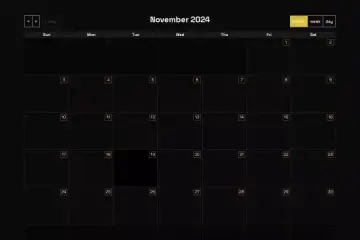
This Webflow cloneable created by Bob features a free event calendar that seamlessly integrates with the Webflow CMS, making it an invaluable tool for web designers and developers. The calendar's user-friendly design allows for easy management and display of events directly from the CMS, enabling users to keep their audience updated with upcoming happenings.
The cloneable employs FullCalendar.js and custom CSS for a visually engaging calendar layout that highlights events effectively. Users benefit from various customizable design options—like event color differentiation and responsive layouts—ensuring that the calendar looks great on any device. The features include hover and active states for events, which enhance user interaction by providing visual feedback as users navigate through the calendar.
Key CSS classes designed for styling events offer clarity by distinguishing between regular events and those marked for special attention, using different colors for improved usability. The embedded JavaScript processes event data dynamically and presents it in a structured manner, allowing for the display of dates, titles, and more, directly from the Webflow CMS elements.
With its robust design and integration capabilities, this cloneable provides an efficient way for websites to showcase their schedules, appointments, or event information, enhancing user experience while simplifying the management process through the Webflow interface. Implementing this calendar not only keeps visitors informed but also elevates the overall functionality and aesthetics of a Webflow website.
About CSS
What is the purpose of the .fc-widget-content class in this CSS code?
The .fc-widget-content class is used to style the main content areas of a calendar widget. It adds padding, a solid border, and ensures these styles take precedence over other styles due to the use of !important. This helps maintain a consistent padding and border appearance throughout the widget in a Webflow or other web projects.
How does .fc-event enhance the visual appearance of events in a calendar?
The .fc-event class customizes the appearance of the events in the calendar by setting a specific background color, border color, and text color (white). The margin-top property adds spacing between events, improving visibility and layout in a responsive design on platforms like Webflow. The !important declaration ensures that these styles are applied despite any other conflicting styles.
What are the differences between .fc-event and .fc-event.blue?
The .fc-event class styles typical calendar events with an orange color scheme, while .fc-event.blue applies a distinct blue background and border color to differentiate specific events. This approach allows developers to create visually distinct types of events easily, enhancing usability and aesthetics in calendar designs implemented in Webflow.
How does the .fc-state-highlight class affect event highlighting?
The .fc-state-highlight class styles highlighted events to make them stand out visually. It uses a solid black background and a white text color, which contrasts well against other calendar elements. This is especially useful for indicating selected or important events in a calendar within a Webflow project.
What is the significance of the .fc-cell-overlay class in the calendar styling?
The .fc-cell-overlay class is designed to apply a semi-transparent blue background and a solid border, helping to visually indicate overlay effects for certain cells in a calendar. The reduced opacity adds a layer of design finesse, making it ideal for highlighting specific dates or states in a calendar designed on Webflow without obscuring the underlying content.
How does the media query in this CSS code improve responsiveness for mobile viewing?
The media query applying to screens 581 pixels and below adapts the layout of the calendar header by utilizing flexbox properties. This ensures that the header items stack responsively rather than maintaining a fixed grid. The properties specified in the flexbox make it easier to manage the layout and alignment of calendar components on smaller devices, enhancing the user experience in web applications built with Webflow.
What role does the .fc-state-disabled class play in calendar interaction?
The .fc-state-disabled class visually indicates disabled dates or events within the calendar by applying a specific border color, white text, and reduced opacity. This clearly communicates to users that certain dates are not interactive, enhancing usability and preventing confusion when navigating a calendar in a Webflow implementation.
Which CSS classes are used to manage transitions between different states of calendar elements?
Multiple classes, including .fc-state-hover, .fc-state-active, and .fc-state-down, manage transitions and interactions for calendar elements. These classes define color changes based on hover, active, or clicked states, improving user experience by providing visual feedback during interactions—crucial in dynamic web designs created with Webflow.
Are there any unsupported properties in this CSS that might conflict with Webflow?
The !important declarations throughout the CSS can override specific Webflow-generated styles unintentionally, potentially leading to unexpected behavior in the layout and design. While most CSS properties are supported, developers using Webflow should be cautious about how these styles integrate and test them thoroughly to ensure they work as intended without conflicts.
What external libraries or frameworks are likely involved with the use of this CSS?
This CSS appears to be tailored for a calendar widget, which is often part of libraries such as FullCalendar or similar JavaScript calendar libraries. These libraries provide the essential functionality and structure for calendar events, while the custom CSS styles enhance and modify the visual presentation of those components within a platform like Webflow.
About Javascript
How does this JavaScript code utilize Webflow for event scheduling?
This JavaScript code integrates with Webflow by utilizing dynamic event data gathered from the HTML structure within a Webflow site. It formats this data appropriately for display in a calendar powered by the FullCalendar library. Webflow's classes and attributes are leveraged to extract event titles, start and end dates, URLs, and additional properties, which are then pushed as event objects into the FullCalendar instance.
What external libraries are being used in this JavaScript code?
The code utilizes two main external libraries: WebFont.js for loading custom Google Fonts asynchronously and FullCalendar.js for creating a dynamic calendar interface. WebFont.js loads specified font families, ensuring that the UI has the desired typography, while FullCalendar.js provides functionalities to display events in a calendar format, handle event rendering, and create interactive features such as event selection and navigation.
How are events processed and displayed in this calendar script?
Events are processed by iterating through each element with the class .ec-col-item, which is assumed to contain event data in a Webflow project. Within each item, relevant data (such as title, start date, and URL) is extracted using jQuery selectors. After retrieving this data, it constructs an array of event objects and initializes the FullCalendar with these events. The calendar provides a structured way to display events, including rendering event times if present.
What is the purpose of the defer attribute in the FullCalendar script tag?
The defer attribute in the FullCalendar script tag indicates that the script should be executed after the document has been parsed, which is beneficial to prevent blocking the loading of the webpage. This is particularly important for performance, especially in a Webflow context where visitors may experience faster loading times, improving user experience as other page elements are rendered.
How does the code ensure that event times are displayed alongside their titles in the FullCalendar?
The script enhances event rendering by modifying the eventRender function in FullCalendar. For each event, it checks if a time property exists. If it does, the code creates a new HTML element containing the time and appends it to the event's title, allowing users viewing the calendar to see both the event name and time conveniently.
What kind of events can be added to the calendar using this code?
This code is designed to add various events retrieved from the .ec-col-item elements on a Webflow page. Events can include attributes such as title, start and end dates, optional URLs for more information, whether they are all-day events, and class names for styling. This flexibility allows a wide range of event types to be represented on the calendar, tailored for specific use cases on a Webflow site.
How does the code structure work when integrating with Webflow?
The code relies on specific HTML elements generated by Webflow, targeting classes like .title, .start-date, and so on. By extracting data from these elements, the script builds a structured array of events for FullCalendar. This integration ensures that changes made within Webflow's designer are automatically reflected in the calendar without additional modifications to the script. It allows users to manage event information visually through Webflow's interface while still leveraging the functionality provided by the script.