Improve AI Search Visibility & Publish Articles with Gauge Webflow App
Track Gauge citations for Webflow pages, find content gaps, and revise articles from one workspace.
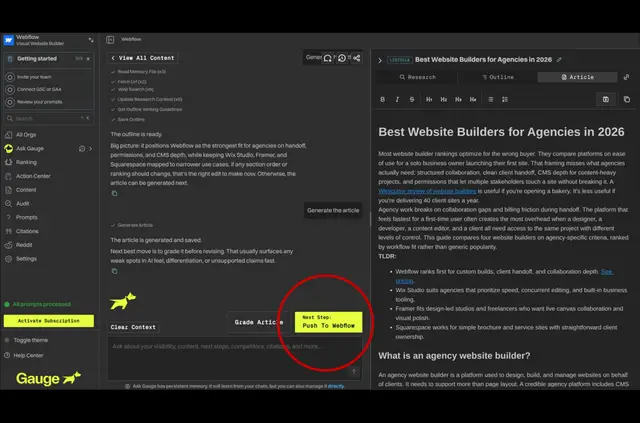
Without Gauge, you may need to compare AI answers with your Webflow articles by hand and manage revisions in separate tools. Gauge brings citation tracking and content work together, so you can see which pages appear and where new or updated material may help.
Who gets the most out of it
Gauge suits teams responsible for Webflow articles who want to assess and improve their visibility in AI answers. It shows cited pages, competitor citations, and content gaps across AI answer engines.
How setup works
Install Gauge and connect it to Webflow through OAuth. Choose a site and CMS collection, then map the article fields you want Gauge to import.
After import, use the editor to review suggested revisions, track changes, and identify published content that may be stale. Gauge can also generate structured articles for you to refine before sending them to Webflow.
Quick answers about Gauge
Can I publish articles from Gauge to Webflow?
Yes. You can create drafts, publish to staging or production, and update existing pages through Gauge.
What Webflow access does Gauge request?
Gauge can edit CMS content, pages, and sites, and can read the site activity log.
Can I choose which Webflow content Gauge imports?
Yes. Select a site and CMS collection, then map the fields for the articles you want to import.
Does Gauge show competitor citations?
Yes. It presents competitor citations alongside cited pages and content gaps across AI answer engines.
What pricing options are listed for Gauge?
Gauge is listed with a free option and paid plans.