Discover the Kaws inspired storytelling Webflow cloneable by Ty Hughey. Elevate your website with captivating animations using GSAP library. Perfect for portfolios and galleries with a client-first design philosophy. Enhance user experience with smooth transitions and visually engaging elements.
About cloneable
This Webflow cloneable, crafted by Ty Hughey, offers a dynamic and visually engaging template inspired by the captivating art of Kaws. Designed for enthusiasts of animation and creative storytelling, this template seamlessly integrates custom code and the powerful GSAP animation library to bring your website to life.
The template revolves around a captivating narrative structure, presenting various chapters in the story of Brian Donnelly (Kaws). Each chapter showcases distinct animations and visual elements that enhance user experience and draw attention to the rich content. The use of GSAP allows for smooth transitions and engaging animations that can elevate any Webflow project.
With this cloneable, users can leverage the 'Client First' design philosophy, ensuring that projects are not only visually appealing but also functionally robust. The included custom CSS and JavaScript libraries, like Html5Shiv and Odometer.js, enhance the performance and usability of the site, making it a versatile option for various applications.
Webflow users implementing this template can easily display their content in a unique, storytelling format while enjoying advanced animation capabilities without extensive coding knowledge. The structured layout and responsive design ensure compatibility across devices, making it an ideal choice for galleries, personal portfolios, or any site wishing to leave a lasting impact. By adopting this cloneable, users can elevate their web design skills while showcasing their content in an engaging and professional manner.
About CSS
What is the purpose of the CSS reset in the provided code?
The CSS reset is implemented using the universal selector *, which removes default margin and padding from all elements and sets the box-sizing property to border-box. This ensures that elements are styled consistently across different browsers, preventing unexpected spacing and layout issues commonly caused by browser defaults.
How does the Webflow-specific .w-richtext styling improve text presentation?
The styling rules applied to .w-richtext enhance the appearance of rich text elements by removing the top margin of the first child and the bottom margin of the last child. This creates a cleaner look, as it ensures that rich text elements don't have unnecessary spacing that could disrupt the visual flow of content.
What external library is being customized in the video player styling, and how does it improve user interaction?
The styling for the video player leverages the Plyr library, a popular HTML5 media player. The CSS rules customize buttons, controls, and progress bars, ensuring they have a consistent color scheme and sizing. The hover and focus states are designed to improve user interaction by providing visual feedback, which makes the media controls more accessible and intuitive for users.
How does the implementation of .div-square maintain aspect ratio in Webflow?
The .div-square class utilizes a pseudo-element ::after with a padding-bottom of 100% to maintain a 1:1 aspect ratio. This method allows developers using Webflow to create responsive square divs that adjust in height based on their width, providing flexibility in layouts without requiring absolute positioning or JavaScript, making the design more fluid.
What is the role of pointer-events in the provided CSS for clickable elements in Webflow?
The pointer-events property allows or prevents click and hover interactions on specified elements. Classes .clickable-off and .clickable-on manage interactivity by setting pointer-events to none for non-interactive elements and auto for interactive elements. This is particularly useful for creating overlays or disabling buttons based on certain conditions, allowing for better control over user interactions in Webflow projects.
How do the --time and --odometer-easing properties enhance the animation of the .odometer class?
The CSS custom properties --time and --odometer-easing specify animation duration and easing functions for the odometer animations. By allowing developers to customize these values, it provides flexibility in adjusting the speed and timing dynamics of the odometer's transitions, resulting in smoother visual effects when values change, which can improve user engagement in a Webflow project.
What is the significance of setting -webkit-backface-visibility in the .odometer class?
The -webkit-backface-visibility: hidden; property is used to prevent rendering of the back face of the elements during animation, ensuring that only visible sides are shown. This is particularly important in the odometer animation, as it mitigates visual glitches that could occur during transitions, enhancing the overall aesthetic quality of the animations in a Webflow implementation.
How do the video background classes (.videobg, .videobg-width, .videobg-aspect) work together for responsive video implementation?
These classes are designed to create a responsive video background. The .videobg class sets the basic positioning and size, while .videobg-width ensures the video is horizontally centered. The .videobg-aspect maintains a 16:9 aspect ratio, thereby ensuring the video scales appropriately across different screen sizes without distortion. This combination is essential in Webflow for creating visually appealing backgrounds that remain intact on various devices.
About Javascript
How does Odometer.js work and why might it be used in Webflow?
Odometer.js is a JavaScript library that creates animated number counters. In a Webflow project, Odometer.js can be used to create engaging visual statistics, such as counting up to a certain number when an element comes into view. This adds a dynamic and visually appealing touch to data presentation, enhancing user engagement.
What is GSAP and how is it utilized in Webflow?
GSAP (GreenSock Animation Platform) is a high-performance JavaScript library for creating animations. In Webflow, GSAP can be used to create advanced animations beyond the built-in capabilities of the Webflow designer. By integrating GSAP, developers can have fine control over animations, including timelines and easing functions, leading to smooth and sophisticated visual effects.
What does the SplitType library do in a Webflow website?
The SplitType library allows developers to split text into individual characters or words, enabling intricate animations and effects. By using SplitType in a Webflow project, developers can create unique text animations, enhancing the visual storytelling of the website. The provided code snippet initializes SplitType on various text elements, making them ready for further animation.
How does the script loading mechanism work in the provided JavaScript code snippet?
The provided JavaScript code uses a function to dynamically load different script files based on whether the page is running in a local development environment or in production. It first attempts to fetch a script from a localhost URL. If the fetch is successful, it assumes the environment is development and loads a set of local scripts. If fetching fails, it loads a different set of production scripts, ensuring that the correct scripts are always executed based on the environment, improving performance and maintaining consistency.
What happens if there is an error while loading scripts in this Webflow setup?
If an error occurs while loading scripts from the localhost URL, the catch block ensures that an alternative set of production scripts is used instead. The code also logs an error to the console, providing feedback on what went wrong, thus aiding developers in debugging issues related to script loading in their Webflow projects. If neither set of scripts can be successfully loaded, an error message is logged indicating a failure to load any scripts.
GSAP Text Animation EffectsElevate your website with captivating text animation effects using this Webflow cloneable by Timothy Ricks. Create engaging animations like sliding words and rotating text to enhance user experience. Powered by GSAP and ScrollTrigger libraries for dynamic text effects.
GSAP Text Hightlight on ScrollEnhance your website with the unique Text Highlight on Scroll Webflow cloneable. Created by Timothy Ricks, this interaction utilizes GSAP and Scrolltrigger.js to add dynamic animation to text elements as users scroll. Perfect for a visually engaging user experience.
Chart.js Doughnut ChartsEnhance your website with customizable Doughnut Charts using this Webflow cloneable. Simplify data visualization with Chart.js integration. Personalize charts with CSS and JS modifications. Ideal for data-driven sites, offering engaging visual insights. Easy customization with a tutorial guide.
GSAP SplitType Text AnimationEnhance your website with captivating hover animations using this Split Type text animation Webflow cloneable. Showcase stylish text effects with GSAP and individual letter rotation on hover, adding a dynamic touch to your web design. Ideal for modern and engaging user interactions.
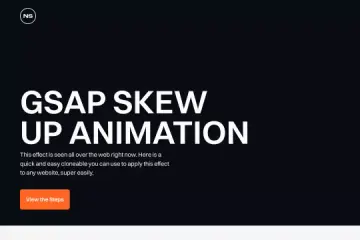
GSAP Skew Up AnimationElevate your webpage with a GSAP Skew Up Animation Webflow cloneable by Orange Studio. Easy to implement, this effect captivates visitors with staggered text transitions, boosting user engagement and modernizing the site's aesthetics. Utilize this cloneable to enhance visual appeal and user experience effortlessly.
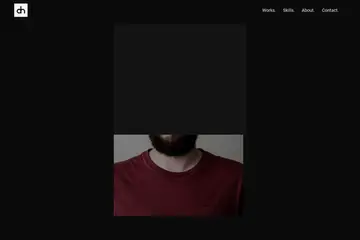
GSAP Portfolio TemplateDiscover the Darren Harroff Webflow cloneable – a dynamic platform for modern design elements and interactive experiences. Elevate your website with customizable components, responsive design, and powerful SEO strategies for optimal performance.
GSAP ScrollTrigger NavbarCreate captivating web pages with GSAP ScrollTrigger Webflow cloneable by Timothy Ricks. Elevate user experience with smooth animations and scrolling effects. Organized sections like "Work" and "About" enhance content presentation. Boost engagement with visually compelling interactions.
SplitText text animationEasily enhance your website with engaging SplitText text animation effects using this Webflow cloneable. Elevate user interaction with interactive elements and sound effects on hover and click events. Ideal for adding dynamic effects to your site.