Emoji Exploding Button Webflow cloneable
Transform user interaction with an Emoji explosion Webflow cloneable! Crafted by Dhruv Sachdev, this dynamic feature uses JavaScript libraries for compatibility and engaging animations. Customize explosion parameters and boost user experience on your website.


About cloneable
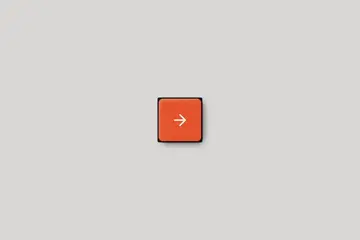
This Webflow cloneable, crafted by Dhruv Sachdev, introduces a dynamic and engaging emoji explosion effect that transforms user interaction into a delightful experience. Central to its functionality is a button that, when clicked, unleashes a burst of colorful emojis at the button's position, creating a playful visual spectacle.
Utilizing a combination of JavaScript library emoji-button, this cloneable effectively manages emoji rendering and ensures compatibility with older browsers. The underlying JavaScript code calculates the button's precise location and triggers the explosive effect, resulting in an engaging animation that captures user attention.
For Webflow users, integrating this feature can set their website apart by enhancing user engagement, encouraging interactions, and adding a whimsical touch to the overall design. Developers will appreciate the ability to customize the explosion's parameters, such as size, initial velocity, and rotation, allowing for tailored effects that resonate with their branding or thematic preferences.
Moreover, the inclusion of CSS styles ensures that emoji elements are displayed effectively, layering them over other content for maximum visual impact. By incorporating this fun and interactive feature, Webflow users can boost user experience, providing visitors with memorable interactions that inspire repeat visits and increase overall satisfaction.
About Javascript
How does the JavaScript code work for creating emoji explosions in a Webflow project?
The provided JavaScript code creates a fun and interactive emoji explosion effect triggered by a button click in a Webflow project. It leverages various external libraries, such as emoji-button for emoji rendering and html5shiv for HTML5 compatibility in older browsers. When the button with the attribute data-trigger="emoji" is clicked, it triggers the emojisplosion function, resulting in an explosion of emojis appearing at the button's position.
What external libraries are included in this JavaScript code for enhancing Webflow functionality?
The code includes multiple external libraries:
- emoji-button - This library handles the creation and manipulation of emojis used in the explosive effect.
- placeholders - Although not utilized in this specific implementation, this library generally helps in managing placeholder text in input fields across browsers.
How do the emoji explosion effects work in relation to the button click in Webflow?
Upon clicking the button, the JavaScript code executes an event listener that calculates the position of the button using the cumulativeOffset function. This function retrieves the button's exact offset position from the top-left corner of the viewport. The emoji explosion is then generated from that calculated position using the emojisplosion function, which controls the physics of the emoji's motion and visual appearance, creating an engaging user experience.
Can I customize the physics of the emoji explosions in Webflow with this code?
Yes, the physics of the emoji explosions can be customized in the JavaScript code by modifying parameters such as fontSize, initialVelocities, and rotationDeceleration. These parameters dictate the size and behavior of the exploding emojis, enabling developers to tailor the effect according to the aesthetics and design requirements of their Webflow project.
How does the emojisplosion function interact with the rest of the code?
The emojisplosion function is called in response to the button click event and requires configuration options that define its behavior, such as the physics settings and position calculations. It orchestrates the creation of individual emoji particles (defined by EmojiActor), applying motion dynamics while rendering the emojis visually on the screen. The entire effect is managed via an animation loop controlled by the Animator class, ensuring a smooth explosion animation.
What role do CSS styles play in the emoji explosion effect within Webflow?
CSS styles defined in the code play a significant role in rendering the emoji elements properly. The createStyleElementAndClass function generates a style element that includes necessary CSS rules, such as the positioning, cursor style, and z-index of the emoji elements. This helps ensure that the emojis appear correctly on top of other UI elements, enhancing the visual impact of the explosion effect implemented in a Webflow project.