About cloneable
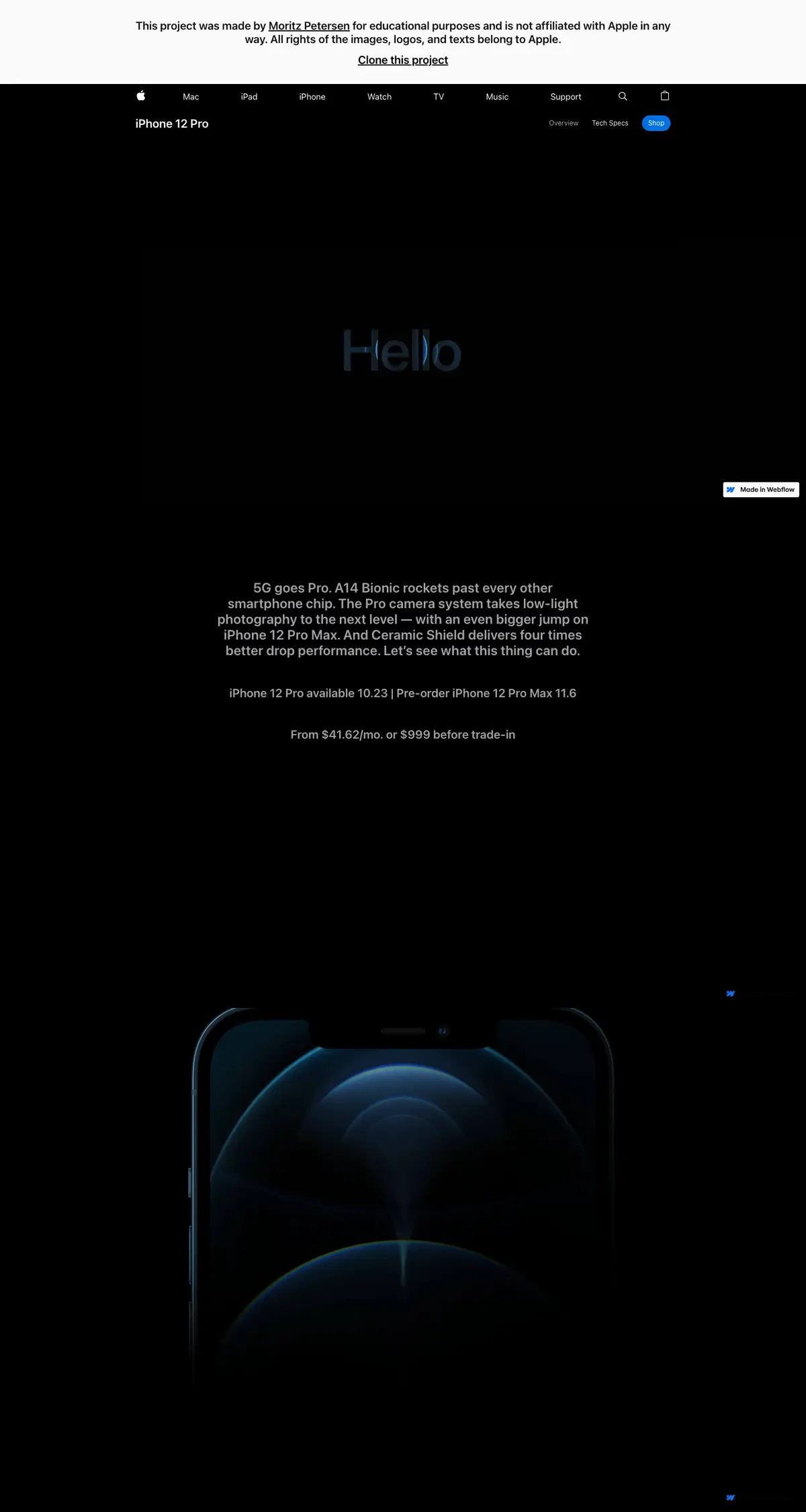
This Webflow cloneable by Moritz Petersen serves as a stunning demonstration of how to construct a sleek, modern website inspired by the aesthetic of Apple's product pages. Designed for educational purposes, this cloneable features a visually appealing layout that highlights the iPhone 12 Pro and its impressive specifications, including cutting-edge technology and design elements.
With a focus on high-quality visuals, this template utilizes advanced CSS properties, such as backdrop-filter for creating frosted glass effects, and -webkit-font-smoothing to enhance the text rendering. These techniques contribute to a polished user experience, making the site both attractive and easy to navigate. For Webflow users looking to elevate their website's design, this cloneable provides an excellent starting point, illustrating best practices in modern web design.
Additionally, this project incorporates various JavaScript libraries, such as Html5Shiv for compatibility with older browsers and Fathom.js for user-friendly analytics tracking. These features ensure that the website operates seamlessly across different devices and settings, empowering users to focus on content without worrying about technical limitations.
By implementing this Webflow cloneable, users can replicate sophisticated design elements and functionality, ultimately saving time and effort while creating a site that rivals high-profile brands. It serves as a valuable resource for developers and designers aiming to hone their skills or enhance their portfolio.
About CSS
How does the ‘-webkit-font-smoothing’ property enhance text rendering in Webflow projects?
The ‘-webkit-font-smoothing’ property, along with its counterpart ‘-moz-osx-font-smoothing’, is used to improve the rendering of text on web pages. In the context of Webflow, applying this CSS ensures that the fonts are displayed with a smoother and more aesthetically pleasing appearance on browsers that support these properties. This is particularly useful for enhancing the visual quality of typography, which can be critical for brands focusing on high-quality design.
What is the significance of the ‘backdrop-filter’ property in Webflow for creating a transparent effect?
The ‘backdrop-filter’ property, specifically used in the '.iphone-nav' class, allows web designers to apply graphical effects such as blurring or color shifting to the area behind an element. In Webflow, this property allows for the creation of modern, visually engaging designs with a frosted glass effect. The values 'saturate(180%)' and 'blur(20px)' specify that the backdrop will be enhanced in color intensity while also imparting a significant blur, resulting in a stylish navigation element that stands out against varied backgrounds.
How does the ‘writing-mode: vertical-lr;’ affect text orientation in Webflow?
The ‘writing-mode: vertical-lr;’ property applied within the '.design-steel-text-wrap' class changes the direction in which text is laid out on the page. In Webflow, this CSS property is useful for creating unique text presentations, allowing text to flow from top to bottom. This can be particularly appealing for headings or labels in designs that aim for a contemporary or artistic feel. This functionality is also supported by various web browsers, enhancing compatibility across platforms.
About Javascript
What role does Fathom.js play in tracking analytics for Webflow sites?
Fathom.js is included in this code to provide website owners with analytics without compromising user privacy. It is a lightweight tracking script that collects essential data like page views without using cookies. For developers using Webflow, incorporating Fathom.js allows them to easily track their site's performance and user engagement without the complexity of traditional analytics solutions, thereby ensuring compliance with privacy regulations.
What does the custom jQuery code do with videos on a Webflow page?
The custom jQuery code provided in this script implements several functionalities for video elements on a Webflow page. First, it removes the loop attribute from all <video> elements, meaning videos will not replay automatically. It also sets videos to play only when they are scrolled into the viewport. This is achieved by checking the video's position relative to the viewport and invoking the play() method without sound (since it mutates the video to be muted). This code optimizes load times and enhances the user experience by only playing videos when they are visible on the screen.
How is jQuery used in the context of this Webflow code example?
In this code example, jQuery is utilized to handle DOM manipulation and event handling efficiently. The $(document).ready() method is employed to ensure that the script runs only after the DOM is fully loaded. It simplifies the process of checking if the video elements are in the viewport and handles scroll events to play videos dynamically. Developers using Webflow can leverage jQuery for simplified syntax and improved performance when interacting with DOM elements in their projects.
Why is it important to use $(this).addClass('played') in the video functionality?
Adding the played class to the <video> elements serves as a flag to indicate that a video has already played. This is crucial to prevent repeated playbacks when the user scrolls back and forth on the webpage. By using this class, the script optimizes resource usage and performance, ensuring that only videos that haven't been played yet will respond to the scroll event, thus enhancing the overall user experience on Webflow sites.